Should You Use AI to Turn Missed Website Form Leads Into Scheduled Appointments? A Small-Business Guide to Faster Handoffs and Less Manual Follow-Up
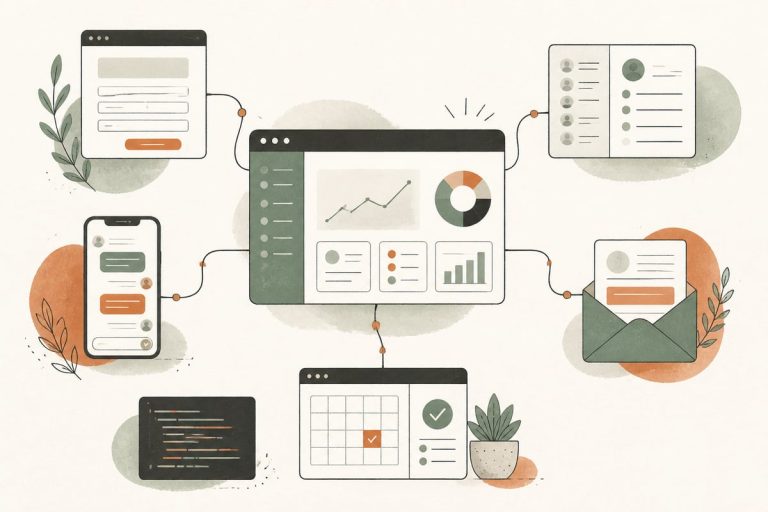
If website leads are coming in but not consistently turning into booked calls or appointments, AI can help by responding faster, routing people correctly, and nudging them to schedule before they go cold. The best setups do not replace your team—they remove delay, repetition, and dropped handoffs.
Why this problem matters more than most business owners realize
A lot of small businesses already have the basics in place:
- a contact form
- a phone number
- maybe a scheduler
- maybe a CRM
But the real leak usually happens between form submission and human follow-up.
That gap often looks like this:
- A prospect fills out your form.
- The form sends an email.
- Someone on your team sees it later.
- They manually text, call, or email back.
- The prospect has moved on, gotten busy, or contacted a competitor.
Even if you are getting leads, that lag can quietly cost you revenue.
An AI workflow can help by doing the immediate, repetitive work right away:
- sending a fast confirmation
- asking one or two smart next-step questions
- routing urgent leads differently
- offering a booking link or scheduling help
- alerting your team with cleaner information
This is especially useful for clinics, law firms, contractors, home-service businesses, consultants, and nonprofits with small admin teams.
What this kind of AI automation actually does
When people hear “AI,” they sometimes picture a full chatbot trying to do everything. That is not usually the best approach.
For most small businesses, the higher-ROI setup is a focused post-form workflow.
That means after someone fills out your website form, AI can:
- read the form details
- classify the lead type
- detect urgency or intent
- send a personalized text or email follow-up
- answer basic next-step questions
- invite the person to schedule
- route the lead to the right staff member
- create or update the contact in your CRM
- remind the lead if they started but did not book
A simple example:
A potential client fills out a contact form for a law office at 8:40 PM.
Instead of waiting until the next morning, the workflow can immediately:
- text: “Thanks for reaching out. We received your request about a car accident matter. Would you like to schedule a call for tomorrow?”
- offer two or three available times
- flag the matter as urgent if the intake notes mention a court date or recent incident
- send the office a structured summary
That is not magic. It is just a better handoff.
Signs your business is a good fit
You do not need AI automation just because it sounds modern. You are a good fit if these problems sound familiar:
- form leads sit too long before someone responds
- staff are manually texting the same follow-up messages every day
- leads come in after hours and wait until morning
- your team wastes time sorting basic inquiries from serious buyers
- people contact you but never complete booking
- leads get lost between inboxes, spreadsheets, and schedulers
- different team members follow up inconsistently
If you only get a handful of leads per month and respond personally within minutes, you may not need this yet.
If you get enough volume that speed and consistency are slipping, this becomes much more valuable.
Where small businesses get the best ROI
The strongest return usually comes from fixing one of these bottlenecks:
1. After-hours response
Many businesses lose momentum simply because leads arrive when nobody is available. AI can acknowledge the inquiry instantly and move the person toward booking while your office is closed.
2. Appointment-setting friction
A lead should not have to wait for three email exchanges just to find a time. If your workflow can move them from inquiry to scheduled call quickly, more leads will convert.
3. Better internal routing
Not every lead belongs with the same person.
Examples:
- new patient vs. existing patient
- commercial project vs. residential repair
- family law vs. personal injury
- donor question vs. service request
AI can tag and route leads faster so the right person gets the right inquiry.
4. Cleaner intake data
If your team keeps chasing missing details, AI can ask follow-up questions automatically before the handoff.
That saves admin time and improves the first live conversation.
What a good workflow looks like
A practical AI appointment-setting workflow for small businesses should usually include these parts:
Fast confirmation
The lead should immediately know:
- you received the inquiry
- what happens next
- how to book or expect a response
Smart but limited follow-up
AI should ask only what helps move the lead forward.
Good examples:
- What service are you looking for?
- Is this urgent?
- Are you looking for an in-person visit or a phone consultation?
- Which day works best for you?
Bad workflows ask too many questions and create drop-off.
Booking path
The workflow should either:
- send a direct scheduling link, or
- help the lead choose a time through text/chat, or
- escalate to staff when scheduling needs a human touch
CRM or inbox sync
Your team should see:
- who the lead is
- what they asked for
- what AI already asked and learned
- whether they booked
- whether follow-up is still needed
Human fallback
A lead should never get trapped in automation.
There should always be a clear path to:
- call your office
- request a human reply
- stop automated messages
Common mistakes to avoid
AI automation can absolutely create a worse experience if it is implemented badly. Watch out for these problems.
Mistake 1: Trying to automate everything at once
Start with one narrow workflow: form lead to booked appointment.
Do not begin by rebuilding your whole customer journey.
Mistake 2: Using generic scripts
If every lead gets the same stiff message, it feels robotic fast. The workflow should reflect your business type, tone, hours, and process.
Mistake 3: Asking for too much information upfront
Long AI back-and-forth can feel like homework. Ask only what helps qualify, route, or book.
Mistake 4: No integration with your actual systems
If AI messages people but staff still have to copy everything manually into another tool, you have not really fixed the workflow.
Mistake 5: No review process
You should regularly review:
- response quality
- booking rates
- failed handoffs
- wrong routing
- customer complaints or confusion
AI workflows need tuning, not set-it-and-forget-it optimism.
A simple rollout plan for small businesses
If you want to implement this without making a mess, use this order.
Step 1: Map your current process
Document what happens now after a form submission:
- where it goes
- who sees it
- how fast people reply
- how booking happens
- where leads stall
Step 2: Choose one form or service line first
Start with the area where speed matters most or volume is highest.
Examples:
- consultation requests
- estimate requests
- new patient inquiries
- after-hours contact forms
Step 3: Define the goal
Pick one primary outcome:
- get more booked calls
- reduce admin time
- improve after-hours response
- route leads better
Step 4: Write the human rules
Decide:
- what AI is allowed to say
- when it should escalate
- what counts as urgent
- who gets notified
- when messages should stop
Step 5: Connect the stack
A strong setup usually connects some combination of:
- website forms
- SMS
- CRM
- booking software
- internal notifications
Step 6: Test with real scenarios
Before going live, test:
- normal inquiries
- urgent inquiries
- bad phone numbers
- incomplete forms
- duplicate leads
- people who do not want to text
Step 7: Review and improve monthly
Look at:
- time to first response
- percentage of leads that book
- staff time saved
- where conversations break down
Trade-offs to consider honestly
This kind of automation is useful, but it is not a cure-all.
Here are the real trade-offs:
- You still need a solid offer and website. AI cannot fix confusing service pages or weak positioning.
- It works best with process discipline. If your calendar, CRM, or lead ownership is messy, AI may expose that mess rather than solve it.
- Some leads still need a human immediately. Sensitive legal, medical, or high-stakes conversations should escalate quickly.
- Tone matters. Poorly written automation can make your business feel impersonal.
The goal is not maximum automation. The goal is faster, cleaner conversion from interest to appointment.
How to tell if it is working
A successful AI scheduling workflow should improve a few simple business metrics:
- faster first response time
- more leads reaching a booking step
- fewer inquiries sitting untouched
- less manual admin chasing
- more consistent lead handling across staff
You do not need flashy dashboards to judge success. Start by comparing before and after on speed, consistency, and booked conversations.
The bottom line
If your website is already generating inquiries, one of the smartest AI upgrades may be the workflow that happens right after the form is submitted. That is where speed, clarity, and follow-through often decide whether a lead becomes a real conversation.
Done well, AI appointment-setting automation does not replace your team. It helps your team show up faster, with better information, and less repetitive work.
Frequently asked questions
Is this the same as putting a chatbot on my website?
No. A chatbot is one possible channel. This article is about the workflow that happens after a lead submits a form, including text, email, CRM routing, and scheduling.
Will AI annoy my leads?
It can if the messages are generic, too frequent, or too robotic. A good setup keeps messages short, relevant, and easy to exit.
Can this work with WordPress?
Yes. A WordPress site can trigger AI workflows from forms, connect to CRMs, send SMS or email follow-up, and hand off to booking tools.
What businesses benefit most from this?
Usually businesses where lead response speed matters: law firms, clinics, contractors, local service businesses, consultants, and similar service providers.
Do I need a CRM first?
Not always, but it helps. If you do not have one, the workflow still needs a reliable place to store lead details, status, and follow-up history.
If you want help designing an AI workflow that turns more website inquiries into booked appointments without creating chaos for your team, book a free consultation: https://webmasterandmore.com/consultation