Blog

  • Should You Create Separate Landing Pages for Each City You Serve? A Small-Business Guide to Better Local SEO and Better Leads

    Should You Create Separate Landing Pages for Each City You Serve? A Small-Business Guide to Better Local SEO and Better Leads

    If you serve multiple cities, separate landing pages can help you get found in more local searches and convert better-fit visitors—but only when each page is specific, useful, and clearly tied to that area. If the pages are just copy-paste location swaps, they usually create clutter instead of better leads.

    Why this matters for small businesses

    A lot of service businesses work across several neighboring cities: contractors, clinics, law firms, home services, med spas, accountants, and nonprofit organizations with regional reach. But many of those businesses still rely on one generic homepage or one broad “service area” page to do all the work.

    That can be a missed opportunity.

    When someone searches for a service, they often include a city name or expect Google to understand local intent. A page that speaks directly to that city can do a better job of matching the search, answering local concerns, and making the visitor feel, “Yes, they work here.”

    Just as important, city pages can improve conversions—not only rankings—because they reduce uncertainty. People want to know:

    • Do you actually serve my area?
    • Are you familiar with local neighborhoods, regulations, or logistics?
    • Can I expect fast response times here?
    • Have you helped people like me nearby?

    A strong city page answers those questions quickly.

    When separate city pages make sense

    You probably should create separate city pages if most of these are true:

    • You actively serve more than one city or neighborhood
    • People in those areas search for your services locally
    • Your offer, logistics, or customer concerns vary by area
    • You can write unique, useful content for each page
    • You want leads from several distinct local markets

    Examples:

    • A roofing company serving Pasadena, Glendale, Burbank, and Eagle Rock
    • A family law firm taking clients across multiple counties or cities
    • A med spa with one office but a wide regional draw
    • A nonprofit serving multiple communities with location-specific programs

    When they are NOT worth doing

    Separate city pages are usually a bad idea if:

    • You only occasionally take work in those cities
    • You cannot add anything unique to each page
    • You plan to publish dozens of near-duplicate pages just to rank
    • Your site already has weak service pages and you are skipping bigger conversion problems

    This is the key trade-off: more pages are not automatically better. Ten weak pages can perform worse than three strong pages.

    If your core service pages are thin, your contact process is confusing, or your site is slow on mobile, fix those issues too. City pages are not a substitute for a solid website.

    What a good city landing page should actually do

    A city page should do more than repeat your service and insert a place name. It should help the visitor decide to contact you.

    A good city page should:

    • Confirm that you serve that city
    • Explain the service in a way that fits local buyer concerns
    • Show proof you work in or near that area
    • Make next steps obvious
    • Support local SEO without sounding robotic

    Think of the page as a local version of a strong service page—not a filler page for search engines.

    What to include on each city page

    Here is a practical structure that works well for many small-business websites.

    1. A clear headline

    Examples:

    • Kitchen Remodeling in Pasadena
    • Estate Planning Attorney Serving Glendale
    • Pediatric Therapy Services in Burbank

    Keep it plain and direct. Clarity wins.

    2. A short intro that confirms fit

    In the first few lines, answer:

    • What you offer
    • Who you help
    • Whether you serve that city
    • What action they should take next

    3. Services available in that city

    List the specific services relevant to that location. Link to deeper service pages when appropriate.

    4. Local context

    This is where most city pages fail.

    Add details such as:

    • Common property types in the area
    • Typical customer concerns there
    • Travel or scheduling expectations
    • Local regulations, climate, or permitting factors if relevant
    • Neighborhoods or nearby communities you also serve

    This is what makes the page feel real.

    5. Trust elements

    Use proof that lowers risk:

    • Testimonials from nearby clients if you have permission
    • Before/after examples
    • Short case summaries
    • Credentials, licenses, associations, or years in business

    Do not fake local proof. If you do not have city-specific testimonials, use honest nearby examples and label them accurately.

    6. FAQs for that area

    Helpful questions might include:

    • Do you serve all of [City]?
    • How quickly can you schedule in [City]?
    • Do you handle permits or local compliance issues?
    • Is there an extra travel fee?

    These FAQs help both users and search visibility.

    7. A strong call to action

    Keep the next step simple:

    • Call now
    • Request a quote
    • Book a consultation
    • Send photos for an estimate

    Do not make visitors hunt for how to contact you.

    What to avoid

    If you want these pages to help instead of hurt, avoid these common mistakes:

    Copy-paste pages

    Changing only the city name is the fastest way to create thin, forgettable pages.

    Too many pages at once

    If you serve 25 areas, do not rush out 25 weak pages. Start with your top 3 to 5 markets.

    Keyword stuffing

    You do not need to repeat the city name in every sentence. Write naturally.

    Fake local office signals

    Do not pretend you have a physical office where you do not. That damages trust.

    No internal links

    Your city pages should connect to your service pages, contact page, reviews, and relevant resources.

    How to decide which city pages to build first

    Do not guess. Prioritize based on business value.

    Start with cities that have:

    • The most revenue potential
    • The best close rates
    • The shortest drive or easiest logistics
    • Strong existing word-of-mouth
    • Search demand for your services

    This approach is more practical than trying to cover every town in your service radius.

    A simple build order for small businesses

    If you want a manageable plan, use this order:

    1. Strengthen your main service pages
    2. Make sure your contact paths are clear on mobile
    3. Build one strong main service area page
    4. Create 3 to 5 city pages for your highest-value markets
    5. Add FAQs, proof, and internal links
    6. Track which pages generate actual inquiries

    That last step matters. The goal is not just more traffic. It is more qualified leads.

    How these pages help conversion, not just SEO

    City pages often work because they reduce hesitation.

    A generic website can make a visitor wonder whether you are truly local, whether you understand their area, or whether you are worth contacting. A focused city page can answer those doubts fast.

    That usually leads to better conversations because the visitor arrives with more confidence and context.

    In other words, separate city pages are not just an SEO tactic. They are a trust and relevance tactic.

    A quick self-audit checklist

    Use this checklist before publishing a city page:

    • Is this a city you actively want more work from?
    • Does the page have unique content beyond the city name?
    • Does it explain how your service fits local needs?
    • Does it include honest trust signals?
    • Is the call to action obvious on mobile?
    • Does it link to related service pages?
    • Would a real prospect find it helpful?

    If the answer to several of these is no, the page probably needs more work.

    The bottom line

    Yes, separate city landing pages can be worth it for small businesses—but only when they are built for real buyers, not just search engines. If each page clearly matches local intent, shows genuine relevance, and makes it easy to take the next step, it can help you attract better local traffic and turn more of it into customers.

    If you want help planning city pages that improve both local SEO and lead quality, you can book a free consultation at https://webmasterandmore.com/consultation.
    Frequently asked questions

    How many city pages should a small business create?

    Start with your top 3 to 5 target cities. It is better to publish a few strong pages than many thin ones.

    Can I use one template for all city pages?

    Yes, the structure can be similar, but the content should be meaningfully different for each city.

    Do city pages work if I do not have a physical office there?

    Yes, if you truly serve the area. Just be honest that it is a service area, not an office location.

    Should each city page target one service or many?

    That depends on your business, but pages often work best when they stay focused. If one service is your main revenue driver, start there.

    What if my website already has a service area page?

    That is fine. A service area page can support broader coverage, while city pages can go deeper for your highest-priority local markets.

  • Should You Use AI to Reactivate Old Leads? A Small-Business Guide to Turning Quiet Contacts Into New Revenue

    Should You Use AI to Reactivate Old Leads? A Small-Business Guide to Turning Quiet Contacts Into New Revenue

    If you have old leads sitting in your inbox, CRM, or estimate system, AI can help you turn some of them into new calls, bookings, and jobs. The key is not blasting everyone with generic messages, but building a simple reactivation workflow that follows up faster, segments better, and sounds human.

    Why old leads are one of the easiest places to find more revenue

    Most small businesses spend a lot of energy trying to get new leads while ignoring people who already raised their hand once. That includes:

    • people who filled out a contact form but never booked
    • people who asked for pricing and went quiet
    • old estimates that were never approved
    • former customers who may need service again
    • leads that came in after hours and were answered too late

    These contacts are often more valuable than cold traffic because they already know your business exists. In many cases, they did not say no forever. They got busy, compared options, lost urgency, or never got a strong follow-up.

    That is where AI automation can help. It gives small businesses a repeatable system for reaching back out without relying on someone on your team to remember every lead manually.

    What an AI lead reactivation workflow actually does

    A good AI reactivation setup does not just “send messages.” It handles the steps around follow-up so your team spends less time chasing and more time closing.

    A typical workflow can:

    1. pull old leads from your CRM, inbox, spreadsheet, or form database
    2. sort them by type, service, age, and status
    3. generate personalized follow-up drafts
    4. send email or text in controlled batches
    5. detect replies and route hot leads to a person fast
    6. trigger reminders if no one on your team follows up
    7. log outcomes so you know what is working

    For example, a contractor might reactivate estimates from 3 to 12 months ago. A law firm might follow up with consultation requests that never scheduled. A clinic might reconnect with dormant patients who never completed intake or treatment.

    The AI part is useful because it can personalize outreach based on the information you already have, while automation handles timing, routing, and reminders.

    Signs your business is a good fit for this

    You are a good candidate for AI lead reactivation if:

    • you have more than a handful of old leads sitting untouched
    • your sales process includes estimates, consultations, or scheduling
    • leads often go cold because follow-up is inconsistent
    • your team is too busy to manually re-engage everyone
    • you already use a CRM, spreadsheet, booking system, or contact database
    • your service has repeat or delayed buying cycles

    This can work especially well for:

    • clinics and private practices
    • law firms
    • contractors and home-service companies
    • local service businesses
    • consultants and professional services
    • nonprofits with donor or volunteer follow-up workflows

    If your lead volume is tiny or your business closes nearly every inquiry immediately, this may not be the highest-ROI automation to build first.

    Where small businesses usually get it wrong

    A lot of AI outreach fails for predictable reasons. The problem is usually not the technology. It is the strategy.

    Common mistakes include:

    • uploading a messy list with no segmentation
    • sending the same message to every contact
    • using robotic language that feels fake
    • contacting people too often
    • failing to route replies to a real human quickly
    • not excluding bad-fit leads, spam, or closed-lost contacts with clear reasons
    • ignoring consent, opt-out, and compliance requirements for email and text

    If someone replies and waits hours or days for a human response, the automation did not solve the real problem.

    A practical small-business workflow that works

    Here is a straightforward reactivation workflow many businesses can use.

    1. Clean your lead list first

    Before any AI touches your contacts, remove:

    • duplicates
    • spam leads
    • wrong numbers and dead emails
    • leads that already became customers
    • leads that should not be contacted again

    Then tag the rest by useful categories such as:

    • service type
    • location
    • age of lead
    • estimate sent or not
    • booked consultation or not
    • reason they stalled, if known

    Good automation depends on clean inputs.

    2. Create 3 to 5 message paths, not 25

    Do not overcomplicate it. Most businesses only need a few reactivation tracks, such as:

    • old estimate follow-up
    • consultation not booked
    • contacted us but never replied
    • past customer due for repeat service
    • abandoned booking or unfinished intake

    This is enough to keep messaging relevant without creating a giant system nobody maintains.

    3. Use AI to draft, not to pretend to be human magic

    AI is great for writing helpful first drafts based on the lead category, service, and previous interaction. But the message still needs guardrails.

    Good reactivation messages are:

    • short
    • specific
    • friendly
    • easy to reply to
    • focused on the next step

    For example, instead of a generic “just checking in,” a better message might mention the service requested and offer one simple action: reply, text, or book.

    4. Pick the right channel

    Not every business should use the same mix.

    • Email works well for professional services, estimates, and lower-pressure follow-up.
    • SMS works well for speed, reminders, and simple yes/no replies.
    • Phone follow-up tasks can be triggered for high-value leads.

    In many cases, the best workflow is email first, then text for non-responders where appropriate.

    5. Add human handoff rules

    This is the part that protects ROI.

    Set clear triggers for when a person takes over, such as:

    • any positive reply
    • pricing questions
    • appointment requests
    • urgent or time-sensitive inquiries
    • high-value leads

    If AI starts the conversation but your team closes it quickly, that is usually a strong setup.

    What this can automate behind the scenes

    A well-built workflow can connect your website and business tools so follow-up does not live in random inboxes.

    Depending on your setup, automation can:

    • sync leads from WordPress forms, chat, booking tools, or call logs
    • tag leads inside your CRM automatically
    • send reactivation messages on a schedule
    • notify staff in email, Slack, or text when someone replies
    • create call-back tasks automatically
    • pause outreach when someone books
    • update statuses after a reply, call, or appointment

    This is where custom implementation matters. The right workflow depends on how your business already works, not on forcing you into a generic app setup.

    Trade-offs to think about before you build this

    AI reactivation is useful, but it is not a miracle button.

    Be honest about the trade-offs:

    • It needs clean data. Bad contact records create bad outreach.
    • It needs oversight. Someone should review messaging and outcomes.
    • It works best with a real process behind it. If nobody handles replies, results will disappoint.
    • It should respect your brand voice. Over-automated follow-up can feel cheap or pushy.
    • It may require compliance review. This matters for industries like legal, healthcare, and finance.

    In other words, automation helps good follow-up happen consistently. It does not replace judgment.

    How to decide if this is worth doing now

    Ask yourself these questions:

    • Do we already have a backlog of old leads or dormant contacts?
    • Are we losing opportunities because follow-up is inconsistent?
    • Would faster re-engagement create more consultations, quotes, or bookings?
    • Do we have enough lead volume to justify setting up a repeatable workflow?
    • Can someone on our team handle replies promptly once people respond?

    If the answer is yes to most of these, AI lead reactivation is often one of the more practical business automations to explore because it uses contacts you already paid to acquire.

    What to prepare before talking to a developer or automation partner

    If you want this built well, gather these first:

    • where your leads currently live
    • what statuses or tags you already use
    • your main service categories
    • examples of stalled leads you want to reactivate
    • your preferred follow-up channels
    • who should receive and respond to hot leads
    • any legal or compliance rules that apply to your industry

    This makes it much easier to design a workflow that fits your business instead of creating one more tool your team avoids.

    The real goal: better follow-up, not just more software

    The point of AI automation is not to add complexity. It is to make sure valuable leads do not disappear because your business was busy, short-staffed, or relying on memory.

    For many small businesses, an AI reactivation workflow can be a practical way to create more revenue from existing contacts, improve response consistency, and give your team a cleaner path from inquiry to customer.

    If you already have old leads collecting dust, this is worth looking at before spending more money chasing brand-new traffic.

    Frequently asked questions

    Can AI send reactivation texts and emails automatically?

    Yes, but it should follow clear rules, use approved messaging, and include proper opt-out handling where needed.

    Will AI follow-up sound robotic?

    It can if it is set up poorly. With the right prompts, templates, and review process, messages can sound natural and on-brand.

    What if we do not use a CRM yet?

    You can still build a basic workflow from form entries, spreadsheets, inboxes, or booking data, though a CRM usually makes tracking easier.

    Is this only for big lead lists?

    No. Even a modest list of old estimates, consultations, or past inquiries can be worth reactivating if each lead has decent value.

    Can this connect to our website and WordPress forms?

    Yes. A custom setup can pull in leads from your site, organize them, and trigger follow-up automatically.

    If you want help planning an AI workflow that fits your website, follow-up process, and customer journey, book a free consultation at https://webmasterandmore.com/consultation.
  • Should You Add a Website Maintenance Plan or Just Fix Problems as They Come Up? A Small-Business Decision Guide

    Should You Add a Website Maintenance Plan or Just Fix Problems as They Come Up? A Small-Business Decision Guide

    If your website helps bring in calls, forms, bookings, or referrals, waiting until something breaks is usually the more expensive option. A website maintenance plan makes sense when your site affects revenue, reputation, or day-to-day operations — but not every business needs the same level of support.

    What a website maintenance plan actually does

    A maintenance plan is not just “updating plugins.” A good plan is meant to reduce downtime, prevent silent problems, protect leads, and keep your site usable and trustworthy.

    For most small businesses, that means ongoing work in five areas:

    1. Software updates for WordPress core, plugins, themes, and server-related tools
    2. Backups that are recent, restorable, and stored safely
    3. Security monitoring for malware, vulnerabilities, spam, login abuse, and suspicious changes
    4. Performance checks so the site stays reasonably fast on mobile and desktop
    5. Lead-path testing to make sure forms, phone links, booking tools, and emails still work

    That last one matters more than many owners realize. A website can look completely fine and still be losing leads because a form stopped sending, an update broke a booking tool, or mobile users can’t tap the main CTA.

    The real choice: monthly prevention vs. surprise cleanups

    When owners ask whether they need maintenance, the real question is usually this:

    Do you want predictable upkeep, or do you want to pay when something fails?

    Break-fix can sound cheaper because there’s no recurring fee. But it comes with trade-offs:

    • Problems are usually found later, not sooner
    • Emergency work costs more than routine work
    • Downtime can happen on nights, weekends, or during campaigns
    • Small issues often become bigger cleanup jobs
    • Lost leads are hard to measure, so the damage gets underestimated

    A maintenance plan costs more upfront than doing nothing. But for many businesses, it lowers total risk and reduces the odds of expensive surprises.

    When a maintenance plan is usually worth it

    A plan is often a smart decision if any of these are true:

    1. Your website regularly brings in leads

    If people call, book, or submit forms through your site, it is part of your sales system. That means reliability matters. Even one broken form or missed week of downtime can cost more than months of maintenance.

    2. Your site runs on WordPress with multiple plugins

    WordPress is powerful, but plugin-heavy sites need care. Updates can improve security and compatibility, but they can also create conflicts. The more moving parts you have, the less safe “set it and forget it” becomes.

    3. You accept payments, store customer data, or use account logins

    If your site handles ecommerce, memberships, patient inquiries, legal intake, or anything sensitive, security and backup discipline become more important. You need a faster response if something goes wrong.

    4. You rely on SEO or paid traffic

    If you are spending money to drive visitors to your website, you do not want them landing on a slow, broken, hacked, or half-working page. Maintenance protects the asset you are paying to promote.

    5. No one on your team actually owns the website

    This is common. The site exists, but updates happen randomly, passwords are scattered, and no one notices problems until a customer mentions them. A maintenance plan gives the site real ownership.

    When break-fix might be enough

    To be fair, not every business needs a full monthly plan.

    Break-fix may be reasonable if:

    • Your site is very simple and rarely changes
    • It is more of a digital brochure than a lead engine
    • You do not run lots of plugins or custom integrations
    • You have a technically capable person internally
    • You still have reliable backups, security basics, and periodic testing in place

    But even then, “break-fix” should not mean “ignore it completely.” You still need a minimum care routine.

    The minimum website care every small business should have

    If you are not ready for a maintenance plan, make sure these basics are covered:

    • Weekly or daily backups, depending on how often the site changes
    • Plugin, theme, and core updates on a regular schedule
    • Form testing at least monthly
    • Spam and security monitoring
    • Uptime monitoring so you know when the site goes down
    • Admin access review so ex-employees and old vendors do not keep access forever
    • Basic speed checks on key pages
    • Renewal tracking for domain, hosting, SSL certificate, and premium plugins

    Without these, you are not really choosing break-fix. You are choosing avoidable risk.

    What a good maintenance plan should include

    Not all website care plans are equal. Some are little more than automated updates. That can be helpful, but it is not enough by itself.

    Look for a plan that includes:

    Core technical care

    • Safe WordPress, plugin, and theme updates
    • Backups with tested restore options
    • Security scanning and hardening
    • Uptime monitoring
    • Plugin and license management

    Lead-protection tasks

    • Contact form testing
    • Click-to-call and mobile CTA checks
    • Booking or checkout testing
    • Email delivery checks for form notifications

    Performance and usability checks

    • Homepage and key service-page speed review
    • Mobile usability spot checks
    • Broken-link review
    • Image or database cleanup when needed

    Reporting you can understand

    You should know what was updated, what was fixed, what was monitored, and whether there are larger issues to address. A good report should help you make decisions, not bury you in jargon.

    Questions to ask before you pay for website maintenance

    Before signing up for a plan, ask these practical questions:

    1. What happens if an update breaks the site?

    Do they test changes, roll them back, or restore from backup?

    1. How often are backups taken, and where are they stored?

    A backup that cannot be restored is not much of a backup.

    1. Do you test forms and lead paths, or only do software updates?

    This is a big difference.

    1. What is not included?

    For example, content edits, SEO work, malware cleanup, or emergency after-hours support.

    1. How quickly do you respond if something goes wrong?

    A local service business running ads may need faster response than a brochure site.

    1. Who owns logins, hosting access, and backups?

    You should never be locked out of your own website.

    A simple way to decide

    If you are unsure, use this filter:

    Choose a maintenance plan if:

    • Your website brings in meaningful business
    • Downtime would hurt revenue or reputation
    • You use WordPress with several plugins or integrations
    • You do not want staff chasing technical issues
    • You want predictable support instead of emergency scrambling

    Choose lighter break-fix care if:

    • The site is simple and low-risk
    • You have internal technical oversight
    • You still commit to backups, updates, and monitoring
    • You can tolerate slower response when issues happen

    Common mistake: comparing maintenance cost to zero

    The wrong comparison is usually:

    • “Monthly maintenance costs X” vs. “doing nothing costs 0”

    The more honest comparison is:

    • “Monthly maintenance costs X” vs. “what a broken form, hacked site, expired plugin, malware cleanup, or weekend outage could cost us in lost leads and repair work”

    A site does not have to crash completely to become expensive. Sometimes the real cost is quieter:

    • forms that stop sending
    • pages that slow down after updates
    • spam submissions burying real leads
    • expired SSL warnings hurting trust
    • old plugins creating security holes
    • mobile layout issues reducing calls

    Those problems often sit unnoticed until business is already being lost.

    The best fit for most small businesses

    For most service businesses, the right answer is not “ignore the site until it breaks,” and it is not always an expensive all-inclusive retainer either.

    Usually, the best fit is a right-sized maintenance plan that covers the essentials:

    • updates
    • backups
    • security
    • uptime
    • form testing
    • basic speed and usability checks

    That gives you protection where it matters most: keeping the website available, trustworthy, and able to turn visitors into real inquiries.

    If your website is supposed to help you get more customers, maintenance is not just technical housekeeping. It is part of protecting revenue.

    Frequently asked questions

    How much website maintenance does a small business usually need?

    It depends on how important the site is to your lead flow and how complex the setup is. A simple brochure site needs less attention than a WordPress site with forms, booking tools, ecommerce, or lots of plugins.

    Can I just turn on auto-updates in WordPress?

    Auto-updates can help, but they are not a full maintenance strategy. Updates can still create conflicts, and auto-updates do not replace backups, security checks, or lead-path testing.

    What is the biggest risk of skipping maintenance?

    Usually it is not one dramatic failure. It is silent problems: broken forms, security vulnerabilities, slow pages, spam issues, or outages that stay unnoticed too long.

    Do I need maintenance if my hosting company says it handles security?

    Hosting helps, but it usually does not cover everything. You still need WordPress-level updates, plugin management, lead testing, and business-specific oversight.

    Is website maintenance worth it for a very small business?

    If your site generates even a few valuable leads a month, often yes. The goal is not buying “more tech.” It is reducing preventable problems that can cost you customers.

    If you want help figuring out whether your website needs ongoing maintenance, a one-time cleanup, or a bigger rebuild, you can book a free consultation at https://webmasterandmore.com/consultation.
  • Should You Add an AI Intake Assistant to Your Website? A Small-Business Guide to Faster Follow-Up and Better Leads

    Should You Add an AI Intake Assistant to Your Website? A Small-Business Guide to Faster Follow-Up and Better Leads

    An AI intake assistant can help small businesses respond faster, collect better lead details, and route inquiries more efficiently. It is most useful when your team loses leads to slow follow-up, incomplete forms, missed after-hours inquiries, or too much back-and-forth before a real conversation happens.

    What an AI intake assistant actually does

    An AI intake assistant is not just a chatbot with canned answers. When set up well, it acts like a guided front desk for your website visitors.

    It can:

    • ask a few smart follow-up questions
    • collect contact details and project information
    • answer common pre-contact questions
    • identify whether someone is a good fit
    • route leads to the right person or department
    • trigger text, email, CRM, or scheduling workflows
    • help your team start the conversation with context already in hand

    For a small business, that matters because most leads do not want to fill out a vague form and wait. They want quick clarity: can you help, how soon, what happens next, and how do they get started?

    When this is a good fit for a small business

    An AI intake assistant is a strong fit if your business gets recurring inquiries with similar first-step questions.

    Examples include:

    • law firms screening case types
    • clinics collecting basic visit or insurance details
    • contractors qualifying project scope, timeline, and location
    • nonprofits directing donors, volunteers, and people seeking services
    • home service companies sorting emergency vs. non-emergency requests
    • consultants or agencies pre-qualifying leads before booking

    It is especially helpful if:

    • your current contact form is too generic
    • staff spends too much time asking the same opening questions
    • leads come in after hours
    • you get many poor-fit inquiries
    • good leads go cold before your team replies
    • different inquiry types need different next steps

    If your lead volume is very low or your process is highly custom from the first second, a simpler form upgrade may be enough. AI works best when there is a repeatable intake pattern.

    The business problem it solves

    Many website leads do not fail because your service is bad. They fail because the handoff is weak.

    A visitor lands on your site, has a question, fills out a short form, and then waits. Your team replies later, asks for missing details, waits again, and momentum drops.

    An AI intake assistant tightens that gap.

    Instead of this:

    1. visitor submits “Need help, call me”
    2. your team asks 3 to 6 follow-up questions
    3. the lead disappears

    You get this:

    1. visitor is guided through a short intake flow
    2. AI captures key details immediately
    3. your team receives a cleaner, more qualified lead
    4. the next step is clearer and faster

    That can mean more booked consultations, fewer dead-end inquiries, and less admin time wasted on repetitive intake.

    What a good AI intake assistant should ask

    The goal is not to interrogate people. The goal is to collect just enough information to move them forward.

    For most small businesses, a good intake flow includes:

    • what the person needs help with
    • location or service area
    • timeline or urgency
    • budget range, if appropriate
    • contact preference: call, text, email, booking
    • any must-have qualifying detail for your business

    Examples:

    For a contractor

    • What type of project do you need help with?
    • What city is the property in?
    • Is this repair, replacement, or new installation?
    • What timeline are you aiming for?
    • Would you like a call, text, or estimate request next?

    For a law firm

    • What type of legal issue are you dealing with?
    • Is this urgent?
    • What county or state is involved?
    • Are you contacting us for yourself or someone else?
    • What is the best way to reach you today?

    For a clinic

    • Are you a new or existing patient?
    • What service are you looking for?
    • Do you want the first available appointment or a specific provider?
    • Do you prefer phone, text, or online booking?

    What it should not do

    This part is important. AI intake should make the path easier, not create friction.

    Avoid systems that:

    • ask too many questions before giving any help
    • pretend to be human when they are not
    • give risky advice in legal, medical, or financial contexts
    • trap users with no easy way to call or contact a person
    • collect sensitive information without proper care
    • push everyone into the same workflow regardless of need

    For many businesses, the best version is a hybrid: AI handles first-step triage, then a human takes over at the right moment.

    AI intake assistant vs. a regular website form

    A standard form is still useful. It is simple, familiar, and fast for people who already know they want to contact you.

    An AI intake assistant is better when you need to:

    • guide uncertain visitors
    • gather better information without a long form
    • branch questions based on answers
    • qualify before scheduling
    • route different lead types automatically

    In other words, forms collect. AI guides.

    You do not always need to replace your form. In many cases, the best setup is:

    • a traditional contact form for direct users
    • an AI intake assistant for people who need guidance or screening

    Where the ROI usually comes from

    The payoff is usually not “AI for AI’s sake.” It comes from fixing expensive small breakdowns in your lead process.

    Potential ROI areas include:

    • fewer missed opportunities after hours
    • less staff time spent on repetitive intake
    • faster response speed
    • better lead quality entering your pipeline
    • fewer no-shows if the assistant sets expectations clearly
    • better routing to the right team member

    For example, if your office manager spends a big part of the day chasing missing details, even a modest improvement in intake quality can save real time. If your sales process depends on speed, getting structured information instantly can improve close rates simply because your team starts stronger.

    How to tell if your business is ready

    Use this quick checklist.

    You are likely ready for an AI intake assistant if:

    • you get repeated inquiry types every week
    • your first 3 to 7 questions are mostly the same
    • poor-fit leads consume too much staff time
    • your current form submissions are vague or incomplete
    • after-hours leads matter to your business
    • your team uses a CRM, inbox, text tool, or booking system that can receive structured lead data

    You may want to wait if:

    • your intake process is still disorganized internally
    • nobody on your team owns lead follow-up
    • you do not yet know what qualifies a good lead
    • your website traffic is so low that the bigger problem is visibility, not intake

    A practical setup for small businesses

    A solid first version does not need to be complicated.

    Here is a practical rollout:

    1. Define the top inquiry types

    List the 3 to 5 most common reasons people contact you.

    2. Identify your qualifying questions

    Choose only the details your team truly needs for the next step.

    3. Map the outcomes

    Decide what should happen next for each inquiry type:

    • send to sales
    • notify service department
    • offer booking
    • trigger a text confirmation
    • direct to emergency phone line
    • send a resource before consult

    4. Write plain-language prompts

    Keep the assistant helpful and direct. No jargon. No robotic language.

    5. Add human escape routes

    Always include options to call, submit a normal form, or request a human follow-up.

    6. Connect it to your real workflow

    If the lead data just sits in a dashboard nobody checks, the tool will not help. It should feed your actual email, CRM, phone, or scheduling process.

    7. Review real conversations

    After launch, check where users drop off, which questions cause friction, and what details your team still has to ask manually.

    Common mistakes to avoid

    Small businesses often run into the same problems with AI tools.

    Watch out for:

    • using generic prompts with no business context
    • making the assistant too wordy
    • skipping compliance and privacy review
    • failing to test mobile usability
    • not training staff on what happens after AI intake
    • treating it like a replacement for follow-up discipline

    The tool can improve intake, but it cannot rescue a broken sales process by itself.

    The bottom line

    If your website gets inquiries but too many leads arrive incomplete, unqualified, or after hours, an AI intake assistant can be a very practical upgrade. The best implementations do not replace your team; they help your team start faster, ask less repetitive questions, and move good prospects toward the right next step.

    For small businesses, that is where the value is: less friction, better lead handling, and more chances to turn website traffic into real customers.

    Frequently asked questions

    Is an AI intake assistant the same as a chatbot?

    Not exactly. A chatbot may just answer questions. An AI intake assistant is designed to collect useful lead information, qualify inquiries, and trigger next steps.

    Will people get annoyed if AI asks too many questions?

    Yes. That is why the flow should stay short and relevant. Ask only what your team actually needs, and always give users a way to contact a person.

    Can this work with WordPress?

    Yes. It can be added to WordPress websites and connected to forms, CRM tools, scheduling systems, and follow-up workflows.

    Is this only useful for large companies?

    No. Small businesses often benefit the most because they feel the cost of slow follow-up and repetitive admin work more directly.

    Should I replace my contact form with AI?

    Usually not completely. Many businesses do best with both: a normal form for direct users and an AI intake path for people who need guidance or pre-qualification.

    If you want help planning an AI intake assistant for your website, book a free consultation at https://webmasterandmore.com/consultation.

  • Should Your Website Have a Resources Page? A Small-Business Guide to Educating Buyers and Generating Better Leads

    Should Your Website Have a Resources Page? A Small-Business Guide to Educating Buyers and Generating Better Leads

    A resources page can be a smart website upgrade if your prospects ask the same questions before they contact you. Done well, it helps buyers trust you faster, improves SEO, and brings in better-qualified leads without making your site feel bloated.

    What a resources page actually does

    A resources page is a central place on your website where visitors can find useful, buyer-oriented content such as guides, checklists, FAQs, short explainers, videos, downloads, or tools. Think of it as a help center for people who are interested in what you do but are not ready to contact you yet.

    For small businesses, that matters because many visitors are in research mode. They are comparing providers, checking prices, trying to understand timing, or figuring out whether they even need the service. If your site helps them answer those questions clearly, you increase the odds that they contact you instead of bouncing back to Google.

    A good resources page can also reduce repetitive sales conversations. If your office keeps answering the same five pre-sale questions every week, those questions probably belong on your website.

    When a resources page makes sense

    A resources page is usually worth adding if one or more of these are true:

    • Your prospects need education before they buy
    • Your service has a longer decision cycle
    • You get lots of similar questions by phone, email, or form
    • You serve multiple customer types with different concerns
    • You want more organic traffic from informational searches
    • You want to build trust before asking for a consultation
    • Your current blog exists, but it is hard to navigate or too random

    This works especially well for businesses like:

    • Law firms explaining process, timelines, or common legal questions
    • Clinics answering treatment, insurance, or candidacy questions
    • Contractors outlining project phases, costs, and permit basics
    • Nonprofits explaining services, eligibility, and local programs
    • Local service businesses helping prospects compare options

    If your sales process depends on informed buyers, a resources page can help.

    What to include on a small-business resources page

    The biggest mistake is making the page a dumping ground for every article you have ever published. A good resources page should feel organized and intentional.

    Here are the most useful content types.

    1. Buyer guides

    These are practical articles that help someone make a decision.

    Examples:

    • How to choose the right type of service
    • What the process looks like from start to finish
    • What affects timeline or cost
    • What to prepare before the first appointment or consultation

    These guides often attract visitors earlier in the buying journey.

    2. FAQs and plain-English explainers

    These help reduce confusion and increase trust.

    Examples:

    • Do I need this service or not?
    • How long does it take?
    • What does insurance cover?
    • What happens after I submit a form?

    Plain-English wins here. Avoid jargon-heavy answers that sound like they were written for peers instead of customers.

    3. Checklists and downloads

    These can be simple but useful.

    Examples:

    • New client checklist
    • What documents to bring
    • Questions to ask before hiring anyone in this category
    • Pre-project planning checklist

    You do not always need a form gate. In many cases, making the resource instantly accessible creates a better experience.

    4. Short videos or visual explainers

    Some buyers would rather watch than read. A 60-second video answering a common question can do a lot of trust-building.

    5. Tools or simple calculators

    If your business has repeatable pre-qualification steps, a basic tool can help visitors self-educate.

    Examples:

    • Rough project budget ranges
    • Eligibility checkers

    n- Service-area lookup tools

    • Intake or readiness assessments

    These should be accurate, useful, and honest about limitations.

    How a resources page helps you get more customers

    This is not just an SEO play. A good resources page improves conversion quality in a few practical ways.

    It builds trust before the first conversation

    When a prospect sees that you explain things clearly and helpfully, they feel less risk. That matters for services that are expensive, unfamiliar, or stressful.

    It improves lead quality

    Educated prospects tend to ask better questions and come in with more realistic expectations. That can mean fewer bad-fit leads and smoother consultations.

    It supports SEO across multiple search intents

    Your homepage and service pages target buyer-intent searches. Resource content can target question-based and research-focused searches. Together, they create a stronger overall site.

    It gives your follow-up team better assets

    When someone contacts you, your team can send the exact guide or checklist that answers their next question. That helps move the lead forward faster.

    It keeps visitors on your site longer

    If people can easily find related answers, they are more likely to continue exploring instead of leaving to research elsewhere.

    What to avoid

    Not every resources page works. Some become cluttered and actually make the website harder to use.

    Avoid these common mistakes:

    • Posting random topics unrelated to buyer questions
    • Organizing by date instead of need or topic
    • Writing only for search engines instead of humans
    • Hiding service-page calls to action
    • Creating thin articles that answer almost nothing
    • Publishing too much before you have a clear structure
    • Letting old content go stale

    A weak resources page can make your business look messy or outdated. Quality matters more than volume.

    A simple structure that works

    For most small businesses, this format is enough:

    1. A main Resources page
    2. Clear topic categories
    3. Featured articles or guides for top buyer questions
    4. Helpful internal links to service pages
    5. Calls to action for consultation, booking, or contact

    Your categories might look like this:

    • Getting started
    • Pricing and planning
    • Process and timelines
    • Common questions
    • Service-specific guides
    • Downloads and tools

    The page should be easy to scan. Use short descriptions so visitors know what each resource will help them do.

    How to choose the first resources to create

    Do not start with keyword spreadsheets alone. Start with real customer friction.

    Build your first resources from these sources:

    • Questions your team answers repeatedly
    • Objections that slow down sales
    • Confusion that causes people to delay contacting you
    • Topics that come up in consultations
    • Search queries in Google Search Console
    • Blog posts that already get traffic but need improvement

    A practical starting checklist:

    • List your 10 most common pre-sale questions
    • Group them into 3 to 5 themes
    • Turn the biggest themes into core guides
    • Link each guide to the right service page
    • Add one clear next step on every resource

    That approach usually works better than publishing lots of disconnected blog posts.

    Should this be a blog, a learning center, or a resources hub?

    The label matters less than the structure.

    If you publish frequent articles, a blog can work. But many small businesses benefit from a more curated resources hub because it feels more useful and less like a news feed.

    A “resources” section is often better when:

    • Your content is evergreen
    • Buyers need guidance, not updates
    • You want stronger organization by topic
    • You want the section to support conversions more directly

    In other words, a blog is a format. A resources hub is a system.

    How AI can make a resources page more useful

    AI can help here, but it should support clarity, not replace it.

    Useful examples include:

    • An AI assistant that recommends the right guide based on visitor questions
    • Automated content tagging and organization
    • Chatbot answers that pull from your approved resources
    • Follow-up emails or texts that send relevant articles after inquiries

    The key is control. If AI is involved, the underlying content still needs to be accurate, current, and written in your business’s voice.

    The best fit for a resources page

    A resources page is usually a strong idea if your business sells trust-based services and your buyers need education before they act. It is less about publishing more content and more about making buying easier.

    If your website already gets some traffic but too many visitors leave without contacting you, a well-structured resources section can help bridge that gap. It gives people a reason to stay, learn, and feel ready.

    For many small businesses, that is one of the most practical ways to turn a website from an online brochure into a customer acquisition tool.

    Frequently asked questions

    Is a resources page the same as a blog?

    Not exactly. A blog is usually chronological. A resources page is more curated and organized around buyer needs.

    Will a resources page help SEO?

    Yes, if the content answers real questions, is well-structured, and connects clearly to your services. It should support both rankings and conversions.

    How many resources should we launch with?

    Usually 5 to 10 strong pieces is enough to start. Focus on your most important buyer questions first.

    Should we gate downloads behind a form?

    Sometimes, but not always. If the goal is trust and usability, ungated content often performs better. Gate only when the resource is genuinely valuable and the follow-up plan is solid.

    What if we already have blog posts?

    You may not need all-new content. Often the better move is to reorganize, improve, and connect what you already have.

    If you want help planning a resources hub, improving your website structure, or turning content into better leads, book a free consultation at https://webmasterandmore.com/consultation.
  • Should You Add a Dedicated Reviews Page to Your Website? A Small-Business Guide to Turning Trust Into More Calls

    Should You Add a Dedicated Reviews Page to Your Website? A Small-Business Guide to Turning Trust Into More Calls

    A dedicated reviews page is often worth adding if your business depends on trust before someone calls, books, or requests a quote. It works best when it helps prospects see that people like them got good results from a service like yours in a situation like theirs.

    What a reviews page actually does

    Many small-business websites have testimonials scattered around the homepage or tucked onto service pages. That helps, but a dedicated reviews page gives buyers one place to validate your business before they contact you.

    This matters because a lot of website visitors are still comparing options. They may like your services, but they are asking themselves:

    • Can I trust this company?
    • Do they work with customers like me?
    • Are they reliable, responsive, and professional?
    • Will I regret contacting them?

    A good reviews page helps answer those questions without making your site feel pushy.

    It can be especially useful for:

    • Law firms
    • Clinics and private practices
    • Contractors and home service companies
    • Accountants and consultants
    • Local service businesses
    • Nonprofits that need donor, sponsor, or partner trust

    If your sales process depends on credibility, reassurance, and proof, a reviews page can support conversions.

    When a dedicated reviews page is worth it

    A reviews page is not mandatory for every business. But it is usually a smart move if any of these are true:

    • You have strong reviews on Google, Yelp, Facebook, or industry platforms
    • People often compare you with several competitors before reaching out
    • Your service has a high-trust or high-stakes buying decision
    • Prospects tend to ask, “Have you worked with clients like me?”
    • Your business gets leads from local search and branded search
    • Your website already has testimonials, but they are hard to find or too generic

    A dedicated page is also helpful if your reviews are spread across multiple platforms. Instead of making people hunt for social proof, you can organize it clearly on your own website.

    When it may not be the first thing to fix

    A reviews page can help, but it is not always the highest-ROI first move.

    It should probably wait if:

    • Your website is unclear about what you do
    • Your contact options are weak or confusing
    • Your service pages do not explain the offer well
    • Your site is slow, broken on mobile, or hard to use
    • You only have a handful of reviews and they are thin

    In those cases, fix the bigger conversion problems first. A reviews page supports trust, but it cannot rescue a weak website structure or poor offer presentation.

    What to put on a reviews page so it helps buyers

    The best reviews pages do more than stack quotes and star ratings. They help the visitor find the right proof quickly.

    Here is what to include.

    1. A short intro that frames the page

    Open with one or two sentences that explain what the page is for.

    Example:

    > See what clients say about working with our team, from first contact to final result. If you are comparing providers, this page can help you understand the experience you can expect.

    This keeps the page buyer-focused instead of self-congratulatory.

    2. Real reviews with real sourcing

    Whenever possible, include:

    • Reviewer first name or initials
    • Business type or client type
    • Service provided
    • Review source, if appropriate
    • Date, if available

    For example:

    • “Google review”
    • “Client feedback after project completion”
    • “Verified patient survey”

    The goal is credibility. Anonymous, overly polished testimonials can feel fake even when they are real.

    3. Filters or sections by service or customer type

    This is one of the most useful upgrades.

    Organize reviews by:

    • Service category
    • Industry

    n- Customer type

    • Location
    • Problem solved

    For example, a contractor might group reviews into:

    • Kitchen remodels
    • ADUs
    • Bathroom renovations
    • Design-build projects

    A law firm might group them into:

    • Personal injury
    • Estate planning
    • Criminal defense

    This helps prospects quickly find reviews that feel relevant to their situation.

    4. Short pull quotes plus full reviews

    Make the page scannable.

    Use:

    • A short highlighted excerpt for quick reading
    • The full review below or in an expandable format

    Most visitors scan first. If every testimonial is long and dense, they may skip the page.

    5. Trust signals around the reviews

    Add supporting context such as:

    • Total review count across platforms
    • Average rating, if accurate and current
    • Links to your public profiles
    • Certifications or memberships nearby
    • Years in business, if relevant

    Be careful not to overstate anything. If ratings vary by platform, do not blur them into one vague claim.

    6. Calls to action that fit the buyer journey

    Do not make the visitor hunt for the next step.

    Include clear CTAs such as:

    • Request a consultation
    • Call now
    • Get a quote
    • Book an appointment
    • Ask a question

    Place one near the top, one mid-page, and one at the bottom.

    What to avoid on a reviews page

    A reviews page can backfire if it feels manipulative, outdated, or hard to trust.

    Avoid these common mistakes:

    • Only posting vague praise like “Great service!”
    • Using stock-photo headshots for testimonials
    • Including reviews with no context
    • Hiding negative feedback everywhere else online while pretending perfection
    • Letting the page become outdated
    • Stuffing the page with repetitive keywords for SEO
    • Making visitors click through too many tabs just to read reviews

    Honesty matters. Buyers do not expect perfection. They expect enough proof to feel comfortable taking the next step.

    How a reviews page can help SEO and AI search visibility

    A reviews page is not a magic ranking trick, but it can support search performance when done well.

    It helps by:

    • Creating a useful page around trust-focused searches for your brand
    • Expanding keyword relevance naturally through real service language in reviews
    • Strengthening branded searches when people look up your company name plus “reviews”
    • Giving AI answer engines more clear on-site evidence about customer experience and services

    It can also support local SEO if reviews mention service areas, project types, or customer problems in natural language.

    That said, do not publish reviews only for ranking purposes. The page should primarily help humans make a decision.

    A simple structure you can use

    If you want a practical layout, this works well for many small businesses:

    1. Headline: Client Reviews and Testimonials
    2. Short intro about what visitors will learn
    3. Summary trust block

    – Review count

    – Platforms

    – Average rating if appropriate

    1. Filtered sections by service or customer type
    2. 6 to 12 strong featured reviews
    3. Link(s) to external review profiles
    4. FAQ-style trust section

    – Do you work with clients like me?

    – What is communication like?

    – What do clients say about your process?

    1. Clear CTA

    This gives buyers both quick reassurance and deeper proof.

    How to decide if you should add one now

    Use this quick checklist.

    Add a dedicated reviews page now if:

    • You already have at least several strong, specific reviews
    • Trust is a major factor in your sales process
    • Competitors also lean heavily on social proof
    • Prospects often research you before calling
    • You can keep the page updated

    Wait or deprioritize it if:

    • Your site has bigger conversion problems
    • You do not yet have enough strong reviews
    • Your business model depends more on outbound sales than website trust
    • You are not ready to maintain the page

    For many small businesses, the sweet spot is this: build strong service pages first, then add a dedicated reviews page to reinforce trust and remove doubt.

    The bottom line

    A dedicated reviews page can absolutely help small businesses get more calls and better leads, especially in trust-heavy industries. Its real job is not to brag. It is to help cautious buyers feel confident enough to contact you.

    If you add one, make it organized, believable, easy to scan, and connected to your main services. Done right, it becomes a practical sales asset instead of just a trophy wall.

    Frequently asked questions

    Do I still need a reviews page if I already show testimonials on my homepage?

    Yes. Homepage testimonials help, but a dedicated page gives comparison shoppers a deeper place to validate your business.

    Should I embed Google reviews directly on my website?

    You can, but a curated page is often easier to organize by service and buyer need. Many businesses use both.

    What if I do not have many reviews yet?

    Use a smaller testimonials section for now and focus on improving review collection after completed jobs or appointments.

    Can a reviews page help local SEO?

    It can support local trust and branded search visibility, but it is not a substitute for strong service pages, location pages, and technical SEO.

    How often should I update a reviews page?

    Ideally every month or quarter, depending on review volume. Fresh, relevant reviews make the page more believable and useful.

    If you want help planning a reviews page that actually supports SEO, trust, and conversions, book a free consultation at https://webmasterandmore.com/consultation.
  • Should You Add a Dedicated “Why Choose Us” Page? A Small-Business Guide to Turning Comparisons Into More Calls

    Should You Add a Dedicated “Why Choose Us” Page? A Small-Business Guide to Turning Comparisons Into More Calls

    A dedicated Why Choose Us page can help small businesses win more leads when buyers are comparing options and need a clear reason to trust you. If your website explains what you do but not why someone should choose you instead of waiting, shopping around, or calling a competitor, this page is often worth adding.

    What a “Why Choose Us” page actually does

    Most small-business websites have a homepage, service pages, an about page, and a contact page. That covers the basics, but it often leaves a conversion gap.

    A buyer may understand:

    • what you offer
    • where you work
    • how to contact you

    But they may still be wondering:

    • Why should I trust this company?
    • Are they a good fit for my situation?
    • What makes them easier or safer to work with?
    • Are they worth contacting before the others I bookmarked?

    A Why Choose Us page exists to answer those questions directly.

    It is not the same as:

    • an About page, which focuses on your story
    • a Services page, which explains what you do
    • a pricing page, which addresses cost expectations
    • a competitor comparison page, which compares you to alternatives more explicitly

    Instead, this page is your website’s decision-support page. It helps people justify taking the next step.

    When this page makes the most sense

    A dedicated page is especially useful if your business has any of these conditions:

    • You sell a service people compare carefully before choosing
    • Your leads often say, “We’re still getting a few quotes”
    • Your business has real strengths that are buried across multiple pages
    • Your buyers need reassurance before calling
    • You serve cautious or high-trust markets like legal, medical, home services, financial, or nonprofit support
    • Your homepage is already crowded and can’t carry every trust message

    This page is less important if your site is extremely simple and most customers convert based on urgency alone. For example, some emergency-response businesses may benefit more from improving speed, mobile usability, and contact options first.

    Still, for many service businesses, this page can improve results because it helps visitors move from “I’m researching” to “This seems like the right company to contact.”

    Signs your website may need one now

    If any of these sound familiar, a Why Choose Us page is probably worth testing:

    • You get traffic, but visitors do not contact you at the rate you expected
    • Your service pages describe features, but not your process or advantages
    • Your team hears the same trust questions repeatedly on calls
    • Prospects often ghost after the first inquiry
    • Your business is good at what it does, but your website looks too generic
    • Competitors appear similar online, even if your real-world service is stronger

    This page will not fix every conversion problem. If your forms are broken, your site is slow, or your calls go unanswered, handle those first. But if the issue is hesitation, this page can help.

    What to put on a small-business “Why Choose Us” page

    The best pages are specific, buyer-focused, and easy to scan. They do not rely on vague claims like “best quality” or “great customer service.”

    Here is a practical structure.

    1. A headline that speaks to the buyer’s goal

    Skip generic headlines like “Why Choose Us.” That can still be the page title, but the top section should say something more meaningful.

    Examples:

    • Get a contractor who communicates clearly and shows up on schedule
    • Work with a law firm that explains the process in plain English
    • Choose a clinic that makes booking, paperwork, and follow-up easier

    The point is to frame your difference around what the customer values.

    2. A short summary of your strongest reasons

    Add 3 to 5 specific reasons someone should contact you.

    Good examples:

    • Direct communication with the person handling your project
    • Clear next steps and fast response times
    • Custom solutions instead of one-size-fits-all packages
    • Secure, well-maintained website systems for ongoing reliability
    • Bilingual support for English- and Spanish-speaking clients

    Weak examples:

    • We care
    • We are professional
    • We value quality

    Those may be true, but they are not persuasive on their own.

    3. Proof points

    This is where many websites fall short. Claims need support.

    Useful proof can include:

    • real testimonials
    • review excerpts
    • certifications or licenses
    • years in business, if meaningful
    • industries served
    • process screenshots
    • before-and-after examples
    • photos of your team, office, or work
    • trust badges you actually earned

    Be honest. If you do not have formal awards or big-name clients, do not force it. Clear explanations and solid testimonials are often more convincing than weak credibility padding.

    4. Your process

    People often choose the business that feels easiest to work with.

    Explain what happens next in 3 to 5 steps:

    1. Contact us and tell us what you need
    2. We review your situation and ask a few questions
    3. We recommend the best next step or provide a quote
    4. We complete the work and keep you informed
    5. We stay available for follow-up or support

    This reduces friction because buyers can picture what working with you will feel like.

    5. Fit and non-fit guidance

    One of the best ways to build trust is to clarify who you are best for.

    Examples:

    • Best for homeowners planning a full remodel, not minor handyman tasks
    • Best for businesses that want ongoing website support, not one-time emergency fixes only
    • Best for clients who value communication and long-term partnership, not bargain-only shopping

    This can improve lead quality and save time.

    6. A strong call to action

    Do not make visitors guess what to do next.

    Your page should end with a clear action such as:

    • Schedule a consultation
    • Request a quote
    • Call now
    • Send us your project details

    If possible, offer more than one contact path for different preferences.

    What to avoid

    A Why Choose Us page can hurt credibility if it feels inflated or repetitive.

    Avoid:

    • generic claims with no proof
    • walls of text
    • attacking competitors
    • fake urgency
    • keyword stuffing for SEO
    • copying the same points from your About page
    • making the page all about you instead of the customer’s decision

    The goal is not to brag. The goal is to help a buyer make a confident choice.

    How this page helps SEO and AI answer engines

    This kind of page can also help your visibility when written well.

    Why? Because it naturally answers real buyer questions such as:

    • why choose this company
    • what makes this business different
    • who is this service best for
    • what is the process like
    • what should I expect after contacting them

    Search engines and AI answer tools both favor pages that are:

    • clear
    • specific
    • well-structured
    • genuinely useful

    A solid Why Choose Us page also gives you a place to mention:

    • service areas
    • customer types
    • process details
    • trust signals
    • differentiators

    That context can support both traditional SEO and AI-generated summaries.

    A simple checklist for creating the page

    Use this checklist before publishing:

    • Does the page explain why a buyer should choose you in plain language?
    • Does it focus on customer benefits, not just company claims?
    • Does each claim have proof, examples, or context?
    • Does it explain your process clearly?
    • Does it say who you are best for?
    • Does it include photos, testimonials, or other trust signals?
    • Does it end with a strong call to action?
    • Is it easy to scan on mobile?

    If you can check most of these boxes, the page is likely to be useful.

    Is a “Why Choose Us” page better than putting these points on the homepage?

    Sometimes you should do both.

    Your homepage should absolutely include a short version of your strongest trust messages. But the homepage is usually trying to do too many jobs at once:

    • introduce the business
    • explain services
    • route different visitor types
    • support SEO
    • generate inquiries

    A dedicated Why Choose Us page gives you room to make the case more clearly.

    A good setup often looks like this:

    • Homepage: brief trust summary
    • Service pages: service-specific proof and FAQs
    • Why Choose Us page: the full decision-making case

    That structure works well for businesses with longer consideration cycles or higher-value leads.

    The real business value

    The biggest value of this page is not “more content.” It is less hesitation.

    When buyers are comparing businesses, uncertainty slows action. A strong Why Choose Us page can help by making your strengths obvious, reducing common objections, and making the next step feel safer.

    That can lead to:

    • more inquiries from qualified prospects
    • fewer basic trust questions on sales calls
    • better conversion from existing traffic
    • clearer positioning against lookalike competitors

    For many small businesses, that is a smarter first move than chasing more traffic before the website is doing a better job closing the gap between interest and action.

    Frequently asked questions

    Does every small-business website need a Why Choose Us page?

    No. Some businesses can cover this well on the homepage and service pages. But if buyers compare options carefully or hesitate before contacting you, a dedicated page can help.

    Is this the same as an About page?

    No. An About page tells your story. A Why Choose Us page helps a prospect decide why working with you is the right move.

    What if I do not have many testimonials yet?

    You can still build a useful page with a clear process, fit guidance, team photos, certifications, and specific explanations of how you work. Just avoid exaggerated claims.

    Will this page help SEO?

    It can, especially when it answers real buyer questions clearly and supports your broader site structure. It is more useful as a conversion page than a pure traffic page, but it can help both.

    Should I link to this page from the homepage?

    Yes. If you create it, make it easy to find from the homepage, service pages, and navigation where appropriate.

    If you want help planning a website that brings in better leads, improves trust, and turns more visitors into real conversations, you can book a free consultation at https://webmasterandmore.com/consultation.
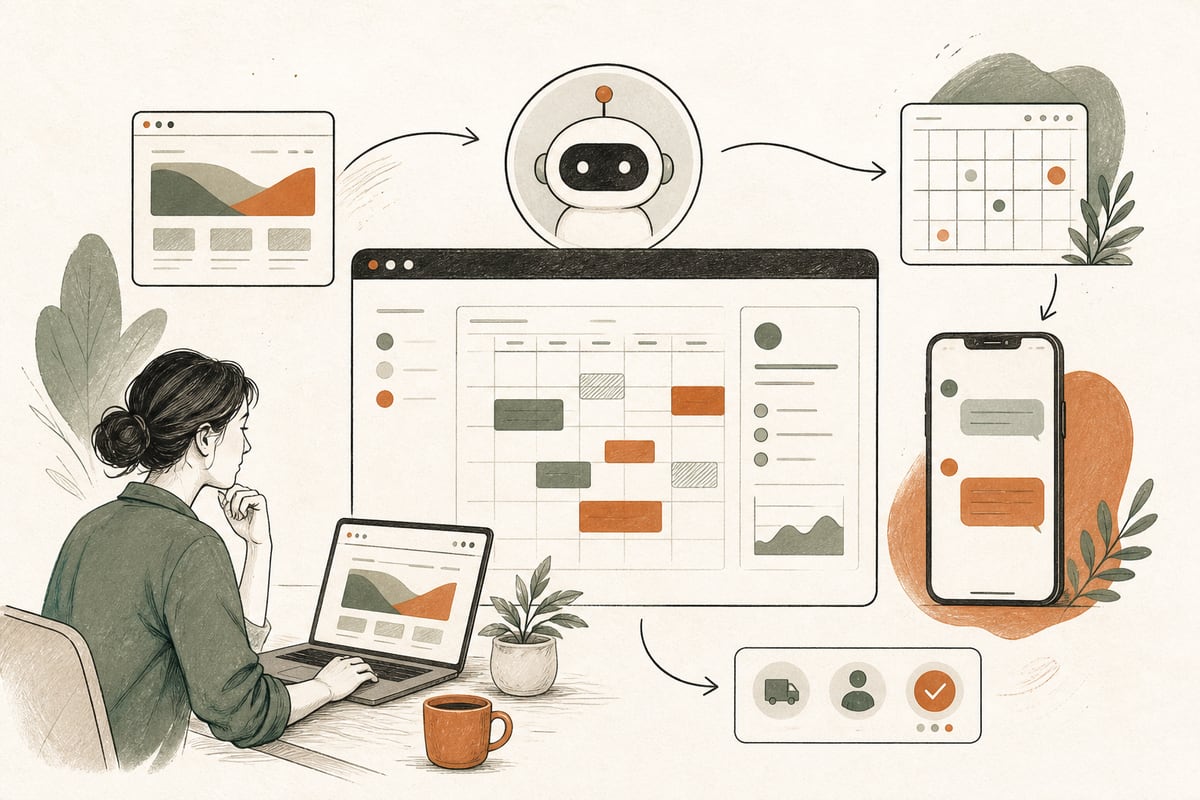
  • Should You Add an AI Voice Agent to Your Website and Phones? A Small-Business Guide to Capturing More Leads After Hours

    Should You Add an AI Voice Agent to Your Website and Phones? A Small-Business Guide to Capturing More Leads After Hours

    If your business misses calls, answers slowly after hours, or spends too much staff time repeating the same intake questions, an AI voice agent may be worth adding. It can help capture more leads and speed up response time, but only if you use it for the right jobs and set clear handoff rules.

    What an AI voice agent actually does

    An AI voice agent is not just a voicemail greeting or phone menu. It is a conversational system that can answer the phone, respond to common questions, collect caller details, qualify leads, route calls, and trigger follow-up actions.

    Depending on the setup, it can also:

    • answer basic pricing or service-area questions
    • collect appointment preferences
    • send a text after the call
    • create a lead in your CRM
    • notify your team when a high-intent prospect calls
    • transfer urgent callers to a real person

    For some businesses, it can also work alongside a website chatbot so the same intake logic is used across phone and web.

    Who should seriously consider it

    This is most useful for businesses where missed or delayed contact often means lost revenue.

    Good fits include:

    • law firms that get intake calls outside office hours
    • clinics and wellness practices that need basic screening before booking
    • contractors who get quote requests while crews are working
    • home service companies that miss calls on the road
    • nonprofits that field repetitive program or eligibility questions
    • multi-location local businesses that need better routing

    It is especially valuable if you hear some version of these problems:

    • “We get calls when nobody can answer.”
    • “Our team spends too much time on repetitive questions.”
    • “Good leads cool off before we call them back.”
    • “We don’t know which calls are urgent.”
    • “Our front desk is overloaded.”

    If your call volume is very low, or every conversation requires immediate expert judgment, an AI voice agent may not be the first upgrade to make.

    The buyer-focused question: will it help you win more customers?

    That depends on whether your current problem is access, speed, qualification, or staff capacity.

    An AI voice agent can improve results when it helps you:

    • answer when competitors do not
    • respond in seconds instead of hours
    • collect complete lead details the first time
    • separate serious buyers from poor-fit inquiries
    • route hot leads to the right person faster
    • reduce admin work so your team can focus on sales or service

    It is less helpful if your real issue is elsewhere, such as:

    • weak service pages that do not build trust
    • confusing offers
    • poor local SEO
    • no clear follow-up process
    • slow scheduling once a lead is captured

    In other words, an AI voice agent can strengthen your lead-handling system, but it cannot fix a broken offer or a confusing website by itself.

    Best use cases for small businesses

    The most successful setups usually start narrow.

    1. After-hours lead capture

    This is often the easiest win. The agent answers when your office is closed, collects the caller’s need, confirms contact details, and sends a text or email summary to your team.

    Why it works:

    • you stop relying on voicemail
    • callers feel acknowledged immediately
    • your staff starts the next day with cleaner intake information

    2. First-line qualification

    Instead of sending every caller straight to staff, the agent asks a few practical questions.

    Examples:

    • What service do you need?
    • What city are you in?
    • Is this urgent?
    • Are you a new or existing client?
    • What is the best callback number?

    Why it works:

    • your team spends less time on poor-fit inquiries
    • serious buyers get faster attention
    • handoffs are more organized

    3. Overflow handling during busy hours

    If your receptionist is often tied up, the agent can catch overflow calls and prevent dead air, long rings, or missed opportunities.

    Why it works:

    • fewer abandoned callers
    • less front-desk stress
    • more consistent coverage during lunch, meetings, or peak times

    4. Website and phone intake consistency

    If you also use a chatbot or website form, the same questions and routing logic can be shared across channels.

    Why it works:

    • cleaner lead data
    • less duplication
    • fewer leads falling through the cracks

    When not to use an AI voice agent first

    Be honest here. It is not always the right next move.

    You may want to fix other issues first if:

    • your website gets very little traffic or few calls
    • your offer is unclear
    • your service area pages are missing
    • your call tracking is poor
    • your team rarely follows up quickly anyway
    • your current phone setup is unreliable

    If nobody is coming to the site or calling in the first place, adding AI to intake will not create demand by itself. It works best when there is already lead activity to capture or improve.

    How to decide if it is worth it

    Use this simple checklist.

    It may be worth testing if:

    • you miss calls weekly or daily
    • your staff repeats the same intake questions constantly
    • after-hours inquiries matter to your business
    • you need better lead qualification before booking or callback
    • speed-to-lead affects close rates in your industry
    • your team needs a cleaner intake workflow

    It may not be worth testing yet if:

    • call volume is too low to justify setup effort
    • every call requires immediate expert or legal judgment
    • you have no process for follow-up after capture
    • your staff strongly resists using structured intake
    • your website and local visibility are the bigger problem

    What a good setup looks like

    A good AI voice agent does not try to pretend it is human or do everything.

    It should:

    • clearly identify itself
    • answer a defined set of questions well
    • know when to transfer or escalate
    • capture and store lead data accurately
    • connect to your CRM, email, text, or scheduling workflow
    • provide summaries your team can act on quickly

    The biggest mistake is over-automation. If the system tries to handle complex situations without clear guardrails, callers get frustrated.

    Practical setup steps

    If you decide to explore this, start with a limited rollout.

    Step 1: Audit your current intake

    Look at:

    • when calls come in
    • when calls are missed
    • your most common caller questions
    • what information staff asks every time
    • where leads get delayed or dropped

    Step 2: Pick one high-value use case

    Choose one:

    • after-hours answering
    • overflow call handling
    • intake qualification
    • appointment request capture

    Do not start with five goals at once.

    Step 3: Write a real intake script

    Map the conversation around actual business needs.

    Include:

    • greeting
    • reason for call
    • service needed
    • location or eligibility questions
    • urgency check
    • callback info
    • handoff rule

    Keep it concise. Long robotic conversations hurt trust.

    Step 4: Define escalation rules

    For example:

    • urgent issue gets transferred immediately
    • existing client goes to support line
    • billing questions go to staff queue
    • poor-fit service requests are redirected politely

    Step 5: Connect the follow-up system

    Make sure captured leads trigger action.

    Examples:

    • instant text confirmation to caller
    • email or text summary to your team
    • CRM lead creation
    • tagged notifications for high-priority calls

    Step 6: Review recordings and transcripts

    The first few weeks matter. Listen for:

    • awkward phrasing
    • caller confusion
    • missing answers
    • failed transfers
    • bad data capture

    Then tighten the script.

    Trade-offs to think about

    There are real pros and cons.

    Pros

    • better after-hours coverage
    • faster first response
    • fewer missed opportunities
    • lower admin burden on staff
    • more consistent intake

    Cons

    • setup takes planning
    • poor scripts can frustrate callers
    • some callers will still prefer a human immediately
    • compliance and privacy need attention, especially in sensitive industries
    • it must be monitored, not “set and forget”

    For businesses in healthcare, legal, or other regulated fields, you should be especially careful about what the system says, stores, and sends.

    A simple rule of thumb

    If your business already gets meaningful calls or form leads, but your response coverage is inconsistent, an AI voice agent can be a smart operational upgrade. If lead volume is low, your first investment may be better spent on visibility, messaging, or conversion improvements on the website itself.

    The best buyer-focused decision is not “Can we use AI?” It is “Where is contact friction costing us customers, and can this tool reduce it without making the experience worse?”

    That is the right lens.

    Frequently asked questions

    Will callers get annoyed talking to an AI voice agent?

    Some will if it is too slow, too rigid, or tries to handle situations it should transfer. A well-designed setup is short, clear, and has easy human handoff options.

    Is an AI voice agent better than a website chatbot?

    Not always. If your business gets more phone inquiries, voice may have a bigger impact first. If visitors prefer browsing and typing, chat may be the better first test. Many businesses eventually use both with shared intake logic.

    Can it book appointments automatically?

    Yes, in some cases. But not every business should start there. Many do better by using AI first for intake and qualification, then handing off to staff or a scheduling workflow.

    Does this replace my receptionist or intake team?

    Usually no. It is best used to support your team by covering gaps, handling repetitive questions, and improving lead capture.

    How do I know if it is working?

    Track missed calls, captured lead volume, response time, qualified lead rate, and whether staff time is being freed up. The goal is not just automation. The goal is more real opportunities handled well.

    If you want help deciding whether an AI voice agent makes sense for your business, or how to connect it to your website, forms, and follow-up process, book a free consultation at https://webmasterandmore.com/consultation.
  • Should You Add a Website Accessibility Upgrade Now? A Small-Business Guide to Better Usability, Lower Risk, and More Leads

    Should You Add a Website Accessibility Upgrade Now? A Small-Business Guide to Better Usability, Lower Risk, and More Leads

    Making your website more accessible is usually a smart move now, not later. For small businesses, accessibility improvements often lead to a website that is easier to use, easier to trust, and more likely to turn visitors into calls, form fills, and booked appointments.

    Why accessibility matters for small businesses

    A lot of business owners hear “website accessibility” and immediately think of legal compliance, technical standards, or expensive rebuilds. Those things can matter, but the real buyer-focused question is simpler:

    Can more real people use your website without frustration?

    If the answer is no, accessibility is already affecting your ability to win customers.

    Accessibility helps people who may:

    • have low vision or color-contrast issues
    • navigate by keyboard instead of a mouse
    • use screen readers
    • struggle with tiny text on mobile
    • have hearing limitations and need captions or transcripts
    • deal with temporary limitations like an injury, poor lighting, or a cracked phone screen
    • simply want a faster, clearer, easier website

    That last point matters. Many accessibility improvements also improve the experience for everyone else.

    Accessibility is often a conversion issue, not just a compliance issue

    Small-business websites lose leads when basic interactions are harder than they should be.

    For example:

    • A contact form has vague error messages, so visitors give up.
    • Buttons are too small on mobile, so people tap the wrong thing.
    • Light gray text on white backgrounds is hard to read, especially for older users.
    • A menu can only be used with a mouse hover, which breaks on some devices.
    • Phone numbers are shown visually but are not tap-to-call.
    • Important page sections are cluttered, confusing, or poorly labeled.

    None of these feel like dramatic failures. But together they create friction, and friction costs leads.

    Accessibility work often improves:

    • readability
    • page clarity
    • mobile usability
    • form completion rates
    • trust
    • time on site
    • ability to contact you quickly

    So if your website feels “fine” but still underperforms, accessibility may be part of the problem.

    Signs your website should get accessibility improvements soon

    You do not need a full audit before spotting obvious issues. Start with this practical checklist.

    You should prioritize accessibility if:

    • your text is small or low contrast
    • your forms are hard to complete on mobile
    • your buttons are inconsistent or unclear
    • your navigation is confusing or hover-dependent
    • your videos have no captions
    • your images carry important meaning but have weak or missing alt text
    • your site has popups that are hard to close
    • your page builder has created cluttered layouts with no clear heading structure
    • your website has not been updated in years
    • your audience includes older adults, patients, legal clients, families, or stressed users who need clarity fast

    For clinics, law firms, contractors, nonprofits, and local service businesses, accessibility is especially important because many visitors arrive with urgency. If they are in pain, worried, busy, or comparing multiple providers, they will not work hard to figure your site out.

    What accessibility upgrades usually give the best ROI first

    Not every improvement requires a redesign. In many cases, the best first step is fixing the parts of the website that affect customer action.

    Start with these high-impact fixes

    1. Improve contrast and text readability

    Make body text readable. Avoid faint gray text, tiny font sizes, and crowded spacing.

    What to fix:

    • increase font size where needed
    • improve contrast between text and background
    • use cleaner paragraph spacing
    • avoid putting text over busy images

    2. Fix buttons and links

    Visitors should instantly understand what to click.

    What to fix:

    • make buttons large enough on mobile
    • use clear labels like “Request a Consultation” instead of “Submit”
    • ensure links are visually distinct
    • avoid clickable elements that only appear on hover

    3. Clean up forms

    Forms are one of the biggest conversion points on your site.

    What to fix:

    • add clear labels for every field
    • show helpful error messages
    • reduce unnecessary fields
    • make input areas large enough for mobile users
    • confirm that keyboard users can move through the form properly

    4. Improve heading structure and page organization

    People scan before they commit.

    What to fix:

    • use a clear H1 for the page topic
    • break sections into logical headings
    • keep important content near the top
    • avoid giant walls of text

    5. Make navigation easier

    If visitors cannot find the next step, accessibility and conversions both suffer.

    What to fix:

    • simplify menus
    • make tap targets easier to use on phones
    • ensure dropdowns work well across devices
    • keep your main call to action visible and consistent

    6. Add captions and transcripts where needed

    If you use video to explain services, testimonials, or process, captions help more people consume it.

    This is especially useful when people are browsing silently on mobile.

    What accessibility does not mean

    Accessibility does not automatically mean:

    • your site needs to look boring
    • you must rebuild everything from scratch
    • one plugin will solve the problem
    • only large companies need to care

    This is where small businesses often get bad advice.

    Some accessibility plugins can help with a few front-end adjustments, but they are rarely a complete solution. If your website structure, forms, navigation, and content are confusing underneath, a toolbar overlay will not fix the root problem.

    The honest trade-off: plugins may provide some quick wins, but serious usability improvements usually require design, development, and content fixes too.

    A smart way to decide what to fix first

    Do not start by chasing every technical issue equally. Start where accessibility overlaps with customer intent.

    Ask:

    1. What pages bring the most traffic?
    2. What pages are supposed to generate leads?
    3. Where do users most often get stuck?
    4. What actions matter most: calling, booking, filling out a form, reading service details?

    Then prioritize those pages first:

    • homepage
    • main service pages
    • location pages
    • contact page
    • booking or consultation pages

    This gives you the highest business impact early.

    A practical accessibility review you can do this week

    Here is a simple no-nonsense test.

    On your phone, check:

    • Can you read the text without zooming?
    • Can you tap buttons easily?
    • Is the phone number tap-to-call?
    • Is the menu easy to use?
    • Can you complete the contact form quickly?

    On desktop, check:

    • Can you tab through links and forms with the keyboard?
    • Is it always clear where you are on the page?
    • Do buttons and links make sense out of context?
    • Are headings clear and in logical order?

    For content, check:

    • Are service descriptions written plainly?
    • Are images supporting the message instead of replacing key text?
    • Are there any jargon-heavy sections that create confusion?
    • Does every page make the next step obvious?

    If these basics are weak, accessibility improvements are likely worth doing now.

    How accessibility can also support SEO and AI visibility

    Accessibility is not a magic SEO trick, but there is useful overlap.

    Websites tend to perform better in search and AI answer engines when they are:

    • clearly structured
    • easy to parse
    • logically organized
    • written in plain language
    • technically sound
    • focused on helping users complete tasks

    For example, better heading structure, clearer labels, descriptive links, and better organized content can help both people and machines understand your site.

    That does not mean accessibility alone will rank you. But it often improves the quality signals that support search visibility and user satisfaction together.

    When a refresh is enough, and when a rebuild makes more sense

    A refresh may be enough if:

    • your core website platform is stable
    • your content is mostly good
    • your main issues are readability, forms, contrast, and layout friction

    A rebuild may make more sense if:

    • your site is built on a messy outdated theme or page builder
    • mobile usability is consistently poor
    • important templates are broken across the site
    • your navigation and page structure are deeply confusing
    • making changes is so difficult that fixes never happen

    The right answer depends on whether the problems are surface-level or structural.

    The best way to think about accessibility as an owner

    Do not treat accessibility as a box to check once and forget.

    Treat it as part of a better website system:

    • clearer pages
    • easier contact paths
    • stronger mobile usability
    • fewer dead ends
    • less friction for real buyers

    That is why accessibility work can pay off even when the visitor never thinks about the word “accessibility” at all. They just feel that your website is easier, more professional, and more trustworthy.

    Frequently asked questions

    Do small businesses really need to worry about website accessibility?

    Yes. Even if your main goal is not compliance, accessibility affects usability, trust, and lead generation. If people struggle to read, navigate, or contact you, your website is costing you business.

    Can an accessibility plugin solve everything?

    No. A plugin may help with a few surface issues, but it usually will not fix confusing layouts, poor forms, weak content structure, or broken navigation.

    What accessibility fix should most businesses start with?

    Start with readability, mobile tap targets, contact forms, and navigation. Those areas usually affect both accessibility and conversions the fastest.

    Will accessibility improvements help SEO?

    They can help indirectly by improving site structure, clarity, and user experience. They are not a standalone ranking guarantee, but they often support better overall performance.

    Should I do accessibility improvements before a redesign?

    Usually yes. At minimum, review accessibility before redesigning so you do not carry the same usability problems into the new site.

    If you want help figuring out whether your site needs a few accessibility fixes or a larger usability overhaul, you can book a free consultation at https://webmasterandmore.com/consultation.

  • Should Your Website Have a Competitor Comparison Page? A Small-Business Guide to Winning Better-Fit Leads

    Should Your Website Have a Competitor Comparison Page? A Small-Business Guide to Winning Better-Fit Leads

    If prospects are already comparing you to other options, a competitor comparison page can help you win more qualified leads. Done well, it answers buyer questions clearly, builds trust, and helps visitors choose without forcing them to dig through five tabs and a review site.

    What is a competitor comparison page?

    A competitor comparison page is a page on your website that helps buyers understand how your service differs from other options they may be considering.

    That does not mean attacking competitors or making claims you cannot support. It means giving prospects a practical side-by-side explanation of:

    • who you are a good fit for
    • who you are not a good fit for
    • how your process differs
    • what clients should expect
    • what trade-offs come with each option

    For example:

    • a law firm comparing full-service representation vs. a document-prep alternative
    • a clinic comparing concierge care vs. high-volume practices
    • a contractor comparing custom projects vs. low-bid installers
    • a nonprofit consultant comparing strategic retainers vs. one-time grant writing
    • a local service business comparing premium maintenance plans vs. one-off emergency-only providers

    This kind of page is often useful because buyers are already searching phrases like:

    • “[your business type] vs [competitor]”
    • “best alternative to [platform or provider]”
    • “custom website vs template website”
    • “managed WordPress support vs DIY”

    If your website does not answer those questions, someone else will.

    Why this page can attract better leads

    Many small-business websites focus only on describing themselves. That is helpful, but buyers usually make decisions comparatively.

    They are asking:

    • Why should I choose this option instead of another one?
    • Is the cheaper option good enough?
    • Is the premium option worth it?
    • Which provider fits my situation?
    • What will I regret choosing later?

    A strong comparison page helps with three important things.

    1. It captures high-intent traffic

    People searching comparisons are often closer to a decision than people searching broad terms.

    They are not just browsing. They are narrowing options.

    2. It pre-qualifies leads

    A clear comparison page can reduce bad-fit inquiries by showing who benefits from your service and who may be happier elsewhere.

    That may sound counterintuitive, but better-fit leads usually convert better and waste less staff time.

    3. It builds trust through honesty

    When you openly explain trade-offs, you sound more credible.

    Small-business owners are tired of vague marketing copy. A page that says, in plain English, “If your main priority is the absolute lowest upfront price, we may not be the best fit” can actually increase trust.

    When a competitor comparison page makes sense

    This page is usually a smart move if:

    • prospects frequently mention another provider or platform on calls
    • you lose deals because buyers do not understand the difference
    • your service costs more, but for clear reasons
    • there are common alternatives like DIY, marketplace providers, franchises, or page-builder websites
    • your buyers need more education before they are ready to contact you

    For Webmaster & More-type services, examples might include:

    • custom WordPress vs. page builder sites
    • headless Next.js vs. traditional WordPress themes
    • AI receptionist vs. live answering service
    • ongoing WordPress maintenance vs. break-fix support
    • custom website partner vs. bundled industry platform

    If buyers regularly compare those options anyway, putting the explanation on your own site can shorten the sales cycle.

    When this page is a bad idea

    Do not make this page just to name-drop competitors or chase drama.

    Skip it if:

    • you cannot compare fairly and factually
    • your differences are weak or unclear
    • the page would depend on claims you cannot verify
    • you are in a highly sensitive legal or compliance-heavy situation where direct comparison could create risk
    • your main issue is not positioning but a weak homepage, weak service pages, or broken follow-up

    In other words, this page is an upgrade, not a substitute for a solid website foundation.

    What to include on the page

    A useful competitor comparison page should help buyers make a decision quickly. Keep it practical.

    1. A direct opening

    Start with a short answer.

    Example structure:

    • who each option is for
    • biggest difference in approach
    • a simple recommendation based on buyer needs

    Do not make visitors scroll through a long brand story before you answer the question.

    2. A fair-fit summary

    This is one of the most important sections.

    Use a simple format like:

    Choose us if:

    • you want a custom solution
    • you care about speed, flexibility, and ownership
    • you want strategy and ongoing support

    Choose the alternative if:

    • you need the cheapest starting point
    • you are comfortable with more DIY limitations
    • your needs are very basic for now

    This helps buyers self-qualify without pressure.

    3. A side-by-side comparison table

    A comparison table works well because it is easy to scan.

    Possible rows include:

    • pricing model
    • setup speed
    • customization
    • ownership and portability
    • SEO flexibility
    • ongoing maintenance needs
    • support model
    • integrations
    • scalability
    • ideal customer type

    Be careful: do not present guesses as facts. If something varies, say so.

    4. Trade-offs, not just advantages

    If your option takes longer, costs more, or requires more planning upfront, say that.

    Examples:

    • A custom website usually takes more planning than a template.
    • Headless builds can improve performance and flexibility, but they are not the simplest choice for every small business.
    • AI automation can save time, but it still needs setup, guardrails, and ongoing review.

    Honesty here is what makes the page believable.

    5. Real decision criteria

    Give buyers a short checklist.

    For example:

    • Do you need something live fast, or something built to scale?
    • Is your main goal lower upfront cost or stronger long-term ROI?
    • Will your team actually maintain the system consistently?
    • Do you need custom integrations?
    • How important are speed, SEO, and ownership?

    This turns the page from marketing into decision support.

    6. A clear next step

    End with one simple CTA.

    Good examples:

    • request a consultation
    • ask for a recommendation
    • get a website audit
    • talk through which option fits your budget and goals

    How to keep it ethical and legally safe

    This matters.

    A competitor comparison page should be accurate, calm, and useful. Avoid anything that feels defamatory, petty, or impossible to support.

    Use these rules:

    • stick to verifiable facts or clearly stated opinions
    • avoid insults or loaded language
    • do not claim another provider is “bad,” “the best,” or “a scam”
    • update the page if pricing, features, or service models change
    • compare categories when direct named comparisons feel risky

    Sometimes the safer move is a category comparison page instead of a head-to-head brand page.

    Examples:

    • custom web design vs DIY website builder
    • AI phone receptionist vs traditional answering service
    • managed WordPress care plan vs on-demand freelancer fixes

    These can still rank and convert well.

    A simple structure you can use

    Here is a buyer-focused outline:

    1. Direct answer: who each option fits best
    2. Quick summary table
    3. Key differences in process and outcomes
    4. Pros and cons of each option
    5. Pricing approach or cost considerations
    6. Best fit by business type or situation
    7. Common buyer questions
    8. CTA to discuss the right fit

    You do not need to make it long. You need to make it clear.

    Mistakes that make these pages weak

    Avoid these common problems:

    Being too biased

    If the page reads like a hit piece, buyers will not trust it.

    Comparing the wrong things

    Do not compare your premium custom service to a bargain template setup without explaining that they serve different needs.

    Hiding your own drawbacks

    Sophisticated buyers notice what you are avoiding.

    Making the page impossible to scan

    Walls of text hurt conversion. Use headings, bullets, and tables.

    Forgetting the conversion path

    If the page gets traffic but offers no clear next step, it will not help much.

    The ROI case for small businesses

    A competitor comparison page is not about chasing vanity traffic. It is about helping decision-ready prospects move forward.

    For many small businesses, that can mean:

    • fewer repetitive sales explanations
    • better-qualified inquiries
    • less price-only shopping
    • more trust before the first call
    • stronger conversion from high-intent searchers

    It will not fix every marketing problem. But if your prospects keep comparing options before they contact you, this page can remove friction at exactly the right stage.

    Should you add one?

    If your business is regularly compared to other providers, platforms, or service models, yes, it is often worth testing.

    Start with one page for the comparison question you hear most often. Keep it fair, specific, and useful. The goal is not to “beat” competitors on the page. The goal is to help the right customer choose with confidence.

    Frequently asked questions

    Should I name a specific competitor on the page?

    You can, but only if you can do it accurately and professionally. In many cases, a category comparison page is safer and still effective.

    Will a comparison page help SEO?

    It can, especially for high-intent comparison searches. But it works best when the page is genuinely helpful, well-structured, and supported by a strong overall website.

    What if my service costs more than the alternative?

    That is exactly when a comparison page can help. Use it to explain the trade-offs, long-term value, and who benefits from the higher-investment option.

    Can this page reduce bad leads?

    Yes. A fair-fit section can help visitors self-select before they contact you, which often improves lead quality.

    Who should write this page?

    Ideally, someone who understands both your buyers and your sales conversations. The best comparison pages are built from real objections, real questions, and real decision criteria.

    If you want help planning website pages that attract better-fit leads and turn more visitors into customers, book a free consultation at https://webmasterandmore.com/consultation.