Should You Use AI to Handle No-Show Follow-Up? A Small-Business Guide to Recovering Lost Appointments Without More Admin Work
If your business loses time and revenue to missed appointments, AI can help by following up instantly, offering an easy rebooking path, and routing the right cases to your team. The best setup does not replace your staff; it handles the repetitive chasing that often never gets done.
Why no-shows are a bigger problem than they look
Most small businesses think of a no-show as one lost time slot. In reality, it often creates a chain reaction:
- idle staff time
- gaps in the daily schedule
- slower revenue collection
- extra admin work to call or text people back
- lower utilization of rooms, crews, or providers
- fewer openings for reliable customers who would have booked
For clinics, salons, law firms, consultants, contractors, and other service businesses, no-shows are rarely just a scheduling issue. They are a follow-up issue.
When nobody responds quickly, that missed appointment often turns into a lost customer. The lead goes cold, gets embarrassed, forgets, or books with someone else.
That is where AI automation can be useful.
What AI no-show follow-up actually does
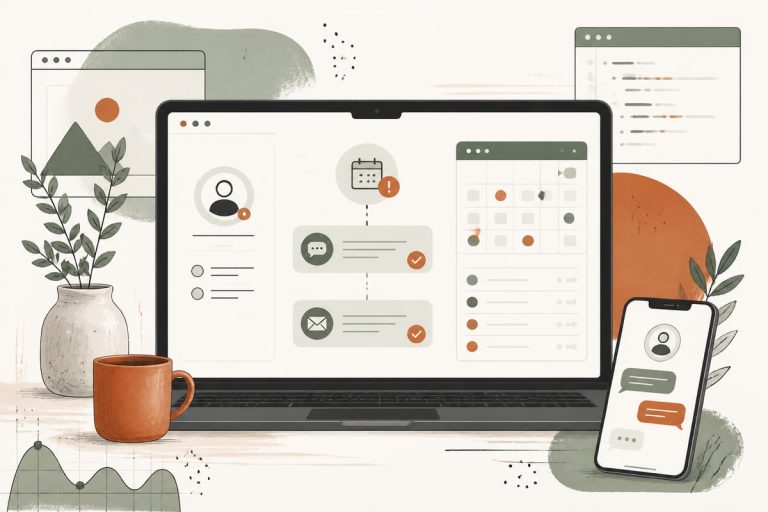
AI no-show follow-up is a workflow that starts the moment an appointment is marked missed, not confirmed, or unattended in your system. It can then:
- send a polite text within minutes
- send an email if the text is ignored
- offer a direct rebooking link
- answer common rescheduling questions
- collect a reason for the missed appointment
- escalate VIP or urgent cases to your staff
- stop follow-up once the person rebooks or opts out
This is not magic, and it does not need to be complicated.
In many businesses, the workflow is simple:
- Appointment is marked as no-show.
- Customer gets a text: “Sorry we missed you. Want to reschedule?”
- If they respond, AI routes them to booking options or your team.
- If they do not respond, the system sends one or two reminders over the next day or two.
- Staff only step in when needed.
That alone can save real admin time.
Which businesses benefit most
This kind of workflow is especially useful if your business depends on scheduled time.
Good fits include:
- medical and dental offices
- therapy and wellness practices
- law firms with consultations
- accountants and tax professionals
- salons, spas, and med spas
- contractors scheduling estimates
- home service companies
- coaching and consulting businesses
- nonprofits booking intake calls or appointments
If missed appointments create wasted labor or revenue leakage, this is worth looking at.
Signs your business is ready for this automation
You do not need a huge team or complicated software stack. You are probably ready if any of these are true:
- your front desk or office manager manually chases no-shows
- follow-up happens inconsistently
- people say they forgot or meant to reschedule
- your team is too busy to call everyone back
- your booking software sends reminders before appointments but does little after a miss
- no-show slots stay empty instead of being recovered
- you want a better process without hiring another admin person
A lot of small businesses already have part of the puzzle: a booking system, CRM, or website form. The opportunity is connecting those tools into one clean workflow.
What a good AI no-show workflow should include
Not every automation is good automation. A useful system should feel helpful, not robotic or aggressive.
Here is the practical checklist.
1. A clear trigger
The workflow should start from a real event, such as:
- appointment marked no-show
- consultation not attended
- customer did not complete check-in
- quote appointment missed
If your scheduling software does not support this cleanly, you may need a workaround or custom integration.
2. Fast first contact
The first message should go out quickly, usually by text. Speed matters because people are most likely to re-engage while the appointment is still fresh.
A simple example:
> Hi Sarah, we missed you today. If you want to reschedule, reply here or use this link: [link]
3. Easy rebooking
Do not make people call if they do not have to. The smoother the path, the better.
Options include:
- direct booking link
- one-click reschedule page
- reply with preferred times
- handoff to a live staff member
4. Smart branching
Different responses should trigger different actions.
Examples:
- “I forgot” → offer rebooking link
- “Need next week” → suggest date options
- “I need to cancel permanently” → stop reminders
- “This is urgent” → notify staff immediately
5. Limits and guardrails
Nobody wants to be spammed after missing one appointment. Your workflow should define:
- how many follow-ups to send
- how long to keep trying
- when to hand off to staff
- when to stop completely
6. Reporting
You should be able to answer:
- how many no-shows got follow-up
- how many rebooked
- how quickly they rebooked
- which messages performed best
- where staff still need to intervene
If you cannot measure it, you cannot improve it.
The real ROI for a small business
The return here is usually a mix of recovered revenue and saved staff time.
AI no-show follow-up can help you:
- fill more missed slots with rescheduled appointments
- reduce front-desk phone tag
- standardize follow-up so leads do not slip away
- improve customer experience with quick, simple communication
- free your team to focus on people who need human help
The biggest win is often consistency. Many businesses already know they should follow up. They just do not do it reliably when the day gets busy.
Automation closes that gap.
Trade-offs and limitations to know up front
This is worth saying plainly: AI cannot fix a broken scheduling process by itself.
If your appointments are missed because:
- reminders are unclear
- your booking flow is confusing
- customers cannot easily cancel or reschedule
- your time slots are unrealistic
- your staff marks appointment statuses inconsistently
then you need to fix those issues too.
Also, some businesses need a lighter touch. In legal, medical, or sensitive service settings, the tone and timing matter a lot. Your workflow should respect privacy, urgency, and compliance requirements.
And not every no-show should be automated the same way. A free consultation is different from a procedure, a contractor estimate, or a donor meeting.
How to implement this without making a mess
The cleanest approach is to start small.
Step 1: Map your current no-show process
Document:
- how an appointment is booked
- how reminders are sent now
- how a no-show gets recorded
- who follows up today
- what messages are used
- what systems are involved
Step 2: Pick one appointment type first
Do not automate every scenario at once. Start with one high-volume, low-risk use case, such as:
- intro consultations
- routine appointments
- estimate visits
- discovery calls
Step 3: Define the workflow
Decide:
- trigger event
- first message timing
- follow-up sequence
- rebooking path
- staff handoff rules
- stop conditions
Step 4: Connect the tools
This may involve your:
- scheduling platform
- CRM
- website forms
- email tool
- SMS provider
- AI assistant or automation layer
Some businesses can use existing integrations. Others need custom workflow development so everything works reliably.
Step 5: Test with real edge cases
Before going live, test:
- rebook request
- cancellation reply
- wrong number
- urgent response
- no response at all
- duplicate reminders
This is where good implementation matters. A sloppy workflow can annoy customers fast.
Step 6: Review results monthly
Look at:
- recovered appointments
- staff time saved
- response rates
- message performance
- customer complaints or confusion
Then refine.
What to ask before you hire someone to build it
If you want help setting this up, ask practical questions:
- Can you connect this to our existing booking and CRM tools?
- Can the workflow use text, email, or both?
- How will urgent or sensitive cases be handled?
- Can we control timing, message copy, and escalation rules?
- What reporting will we get?
- Who maintains the workflow if our process changes?
You do not just want an AI tool. You want a business workflow that fits how your team actually operates.
When this is a smart next move
If your business books appointments and too many people disappear without rescheduling, this is one of the more practical AI automations to consider. It targets a specific leak, is easy to understand, and can reduce admin work without changing your entire operation.
It is especially attractive if you already get enough leads but lose value after the booking happens.
In other words, before spending more to generate more demand, it often makes sense to recover the opportunities you already have.
Frequently asked questions
Is this only useful for medical or appointment-heavy businesses?
No. It also works well for consultations, estimates, intake calls, demos, and other scheduled meetings where a missed slot has value.
Will customers be annoyed by AI follow-up?
Not if it is done well. The messages should be brief, helpful, and limited. Bad automation feels pushy; good automation makes rescheduling easier.
Can this work with our current website and booking system?
Often yes, but it depends on what tools you use and whether they support triggers or integrations. Some setups need custom work.
Does AI replace our receptionist or office manager?
Usually no. It handles repetitive follow-up and simple routing so your staff can focus on higher-value conversations.
What is the best first step?
Audit your current no-show process and identify where follow-up breaks down. If you want help mapping it, that is a good project to review with a developer who understands websites, CRM workflows, and AI automation.
If you want to explore an AI no-show follow-up workflow for your business, you can book a free consultation at https://webmasterandmore.com/consultation.