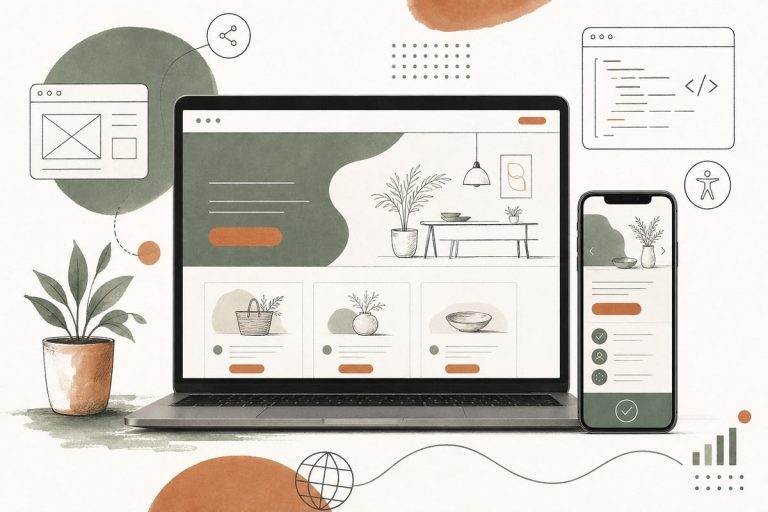
Should You Add a Website Accessibility Upgrade Now? A Small-Business Guide to Better Usability, Lower Risk, and More Leads
Making your website more accessible is usually a smart move now, not later. For small businesses, accessibility improvements often lead to a website that is easier to use, easier to trust, and more likely to turn visitors into calls, form fills, and booked appointments.
Why accessibility matters for small businesses
A lot of business owners hear “website accessibility” and immediately think of legal compliance, technical standards, or expensive rebuilds. Those things can matter, but the real buyer-focused question is simpler:
Can more real people use your website without frustration?
If the answer is no, accessibility is already affecting your ability to win customers.
Accessibility helps people who may:
- have low vision or color-contrast issues
- navigate by keyboard instead of a mouse
- use screen readers
- struggle with tiny text on mobile
- have hearing limitations and need captions or transcripts
- deal with temporary limitations like an injury, poor lighting, or a cracked phone screen
- simply want a faster, clearer, easier website
That last point matters. Many accessibility improvements also improve the experience for everyone else.
Accessibility is often a conversion issue, not just a compliance issue
Small-business websites lose leads when basic interactions are harder than they should be.
For example:
- A contact form has vague error messages, so visitors give up.
- Buttons are too small on mobile, so people tap the wrong thing.
- Light gray text on white backgrounds is hard to read, especially for older users.
- A menu can only be used with a mouse hover, which breaks on some devices.
- Phone numbers are shown visually but are not tap-to-call.
- Important page sections are cluttered, confusing, or poorly labeled.
None of these feel like dramatic failures. But together they create friction, and friction costs leads.
Accessibility work often improves:
- readability
- page clarity
- mobile usability
- form completion rates
- trust
- time on site
- ability to contact you quickly
So if your website feels “fine” but still underperforms, accessibility may be part of the problem.
Signs your website should get accessibility improvements soon
You do not need a full audit before spotting obvious issues. Start with this practical checklist.
You should prioritize accessibility if:
- your text is small or low contrast
- your forms are hard to complete on mobile
- your buttons are inconsistent or unclear
- your navigation is confusing or hover-dependent
- your videos have no captions
- your images carry important meaning but have weak or missing alt text
- your site has popups that are hard to close
- your page builder has created cluttered layouts with no clear heading structure
- your website has not been updated in years
- your audience includes older adults, patients, legal clients, families, or stressed users who need clarity fast
For clinics, law firms, contractors, nonprofits, and local service businesses, accessibility is especially important because many visitors arrive with urgency. If they are in pain, worried, busy, or comparing multiple providers, they will not work hard to figure your site out.
What accessibility upgrades usually give the best ROI first
Not every improvement requires a redesign. In many cases, the best first step is fixing the parts of the website that affect customer action.
Start with these high-impact fixes
1. Improve contrast and text readability
Make body text readable. Avoid faint gray text, tiny font sizes, and crowded spacing.
What to fix:
- increase font size where needed
- improve contrast between text and background
- use cleaner paragraph spacing
- avoid putting text over busy images
2. Fix buttons and links
Visitors should instantly understand what to click.
What to fix:
- make buttons large enough on mobile
- use clear labels like “Request a Consultation” instead of “Submit”
- ensure links are visually distinct
- avoid clickable elements that only appear on hover
3. Clean up forms
Forms are one of the biggest conversion points on your site.
What to fix:
- add clear labels for every field
- show helpful error messages
- reduce unnecessary fields
- make input areas large enough for mobile users
- confirm that keyboard users can move through the form properly
4. Improve heading structure and page organization
People scan before they commit.
What to fix:
- use a clear H1 for the page topic
- break sections into logical headings
- keep important content near the top
- avoid giant walls of text
5. Make navigation easier
If visitors cannot find the next step, accessibility and conversions both suffer.
What to fix:
- simplify menus
- make tap targets easier to use on phones
- ensure dropdowns work well across devices
- keep your main call to action visible and consistent
6. Add captions and transcripts where needed
If you use video to explain services, testimonials, or process, captions help more people consume it.
This is especially useful when people are browsing silently on mobile.
What accessibility does not mean
Accessibility does not automatically mean:
- your site needs to look boring
- you must rebuild everything from scratch
- one plugin will solve the problem
- only large companies need to care
This is where small businesses often get bad advice.
Some accessibility plugins can help with a few front-end adjustments, but they are rarely a complete solution. If your website structure, forms, navigation, and content are confusing underneath, a toolbar overlay will not fix the root problem.
The honest trade-off: plugins may provide some quick wins, but serious usability improvements usually require design, development, and content fixes too.
A smart way to decide what to fix first
Do not start by chasing every technical issue equally. Start where accessibility overlaps with customer intent.
Ask:
- What pages bring the most traffic?
- What pages are supposed to generate leads?
- Where do users most often get stuck?
- What actions matter most: calling, booking, filling out a form, reading service details?
Then prioritize those pages first:
- homepage
- main service pages
- location pages
- contact page
- booking or consultation pages
This gives you the highest business impact early.
A practical accessibility review you can do this week
Here is a simple no-nonsense test.
On your phone, check:
- Can you read the text without zooming?
- Can you tap buttons easily?
- Is the phone number tap-to-call?
- Is the menu easy to use?
- Can you complete the contact form quickly?
On desktop, check:
- Can you tab through links and forms with the keyboard?
- Is it always clear where you are on the page?
- Do buttons and links make sense out of context?
- Are headings clear and in logical order?
For content, check:
- Are service descriptions written plainly?
- Are images supporting the message instead of replacing key text?
- Are there any jargon-heavy sections that create confusion?
- Does every page make the next step obvious?
If these basics are weak, accessibility improvements are likely worth doing now.
How accessibility can also support SEO and AI visibility
Accessibility is not a magic SEO trick, but there is useful overlap.
Websites tend to perform better in search and AI answer engines when they are:
- clearly structured
- easy to parse
- logically organized
- written in plain language
- technically sound
- focused on helping users complete tasks
For example, better heading structure, clearer labels, descriptive links, and better organized content can help both people and machines understand your site.
That does not mean accessibility alone will rank you. But it often improves the quality signals that support search visibility and user satisfaction together.
When a refresh is enough, and when a rebuild makes more sense
A refresh may be enough if:
- your core website platform is stable
- your content is mostly good
- your main issues are readability, forms, contrast, and layout friction
A rebuild may make more sense if:
- your site is built on a messy outdated theme or page builder
- mobile usability is consistently poor
- important templates are broken across the site
- your navigation and page structure are deeply confusing
- making changes is so difficult that fixes never happen
The right answer depends on whether the problems are surface-level or structural.
The best way to think about accessibility as an owner
Do not treat accessibility as a box to check once and forget.
Treat it as part of a better website system:
- clearer pages
- easier contact paths
- stronger mobile usability
- fewer dead ends
- less friction for real buyers
That is why accessibility work can pay off even when the visitor never thinks about the word “accessibility” at all. They just feel that your website is easier, more professional, and more trustworthy.
Frequently asked questions
Do small businesses really need to worry about website accessibility?
Yes. Even if your main goal is not compliance, accessibility affects usability, trust, and lead generation. If people struggle to read, navigate, or contact you, your website is costing you business.
Can an accessibility plugin solve everything?
No. A plugin may help with a few surface issues, but it usually will not fix confusing layouts, poor forms, weak content structure, or broken navigation.
What accessibility fix should most businesses start with?
Start with readability, mobile tap targets, contact forms, and navigation. Those areas usually affect both accessibility and conversions the fastest.
Will accessibility improvements help SEO?
They can help indirectly by improving site structure, clarity, and user experience. They are not a standalone ranking guarantee, but they often support better overall performance.
Should I do accessibility improvements before a redesign?
Usually yes. At minimum, review accessibility before redesigning so you do not carry the same usability problems into the new site.
If you want help figuring out whether your site needs a few accessibility fixes or a larger usability overhaul, you can book a free consultation at https://webmasterandmore.com/consultation.