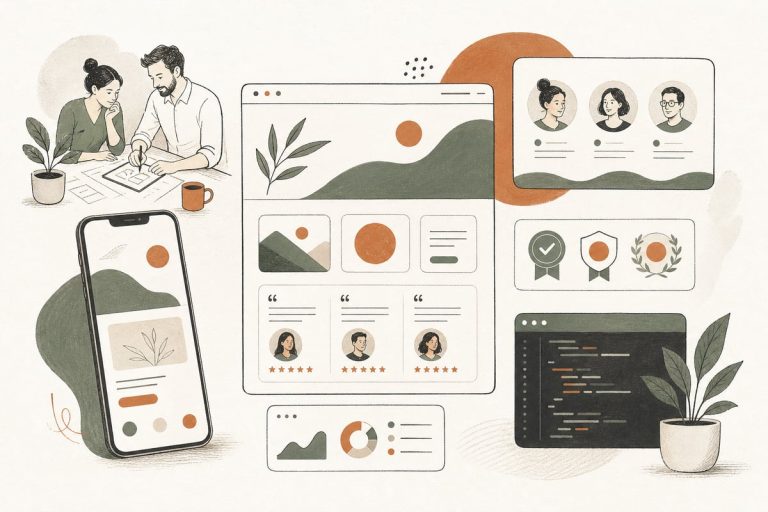
Should You Add a Website Trust Audit? A Small-Business Guide to Finding the Credibility Gaps Costing You Leads
If your website gets traffic but too few inquiries, you may not have a traffic problem at all — you may have a trust problem. A website trust audit helps you find the credibility gaps that make real buyers hesitate, leave, or keep shopping around.
What is a website trust audit?
A website trust audit is a practical review of the pages and elements that help visitors decide whether your business feels credible, safe, and worth contacting. It is not just about design looking “modern.” It is about whether your site answers the quiet questions buyers ask before they call:
- Is this business legitimate?
- Do they really do this work?
- Have they helped people like me?
- Will someone actually respond?
- Is it safe to share my information?
- Do they serve my area?
- Why should I choose them over the next option?
For many small businesses, trust is the missing link between website traffic and actual leads. A clean layout helps, but trust is usually built through specifics: real proof, clear service information, visible contact details, strong reviews, professional photos, and a site that works well on mobile.
Why trust issues quietly hurt conversions
Most visitors will not email you to say, “Your website feels thin.” They just leave.
That is why trust problems are easy to miss. You may still get some leads, but not as many as you should. Or you may get lower-quality inquiries from people who are less serious, while better-fit buyers choose a competitor whose site feels more established.
Common trust-related conversion problems include:
- Plenty of traffic but weak contact rates
- Good rankings but poor lead quality
- High traffic to service pages with low action
- Mobile visitors who bounce quickly
- Prospects who call asking very basic confidence-check questions
- Buyers who say they are “still comparing options” even after visiting your site
A trust audit is often cheaper and faster than a full redesign, especially if your site already gets traffic and your core services are clear.
Signs your website may have a trust gap
If several of these are true, a trust audit is worth doing:
- Your homepage makes claims but shows little proof
- Your service pages are short, vague, or generic
- You do not show your team, office, trucks, equipment, or actual work
- Your testimonials are weak, outdated, or hard to find
- Your reviews live only on Google or Yelp, not on your site
- Your phone number or contact options are hard to spot
- Your forms ask for a lot, but explain little
- Your website has old copyright dates, broken pages, or outdated offers
- Your site looks incomplete on mobile
- You have no clear service area information
- You do not explain your process, timing, pricing approach, or what happens next
- Your site uses stock photos everywhere and almost nothing feels specific to your business
None of these automatically means your site is failing. But together, they can create enough doubt to cost you good leads.
What to check in a website trust audit
Here is a practical trust audit checklist for small-business websites.
1. Above-the-fold credibility
When someone lands on your homepage or a service page, they should quickly understand:
- What you do
- Who you help
- Where you work
- How to contact you
- Why you are a safe choice
Check whether the top of the page includes:
- A clear headline about the service
- A short supporting sentence with buyer-focused value
- A visible call to action
- Your service area or location
- At least one trust signal nearby, such as reviews, years in business, certifications, associations, or recognizable client types
If the top of the page is stylish but vague, trust drops fast.
2. Real proof on service pages
Many service pages explain the service but never prove the business is good at it.
Look for missing proof such as:
- Before-and-after photos
- Project photos
- Testimonials tied to that service
- Short case examples
- Certifications or licenses
- Process steps
- FAQs that reduce buyer hesitation
- Industries or customer types served
The goal is not hype. It is reassurance.
3. Reviews and testimonials
Strong reviews are one of the biggest trust assets on a small-business website, but they need to be easy to find and believable.
Audit your review setup:
- Are testimonials current?
- Do they mention specific outcomes or experiences?
- Are they tied to real names, initials, businesses, or locations where appropriate?
- Are your best reviews visible on key pages, not buried?
- Do you link to your Google Business Profile or other third-party review source?
Short, generic praise like “Great service!” is better than nothing, but specific reviews build much more confidence.
4. Team, company, and local legitimacy
Buyers want to know there are real people behind the website.
Check whether your site clearly shows:
- Your business name consistently
- Your phone number and email
- Your physical address if appropriate
- Cities or regions served
- Team photos or leadership photos
- Office, shop, vehicle, or jobsite photos
- Licenses, insurance, memberships, or accreditations where relevant
This matters even more for law firms, clinics, contractors, home services, and local professional services.
5. Contact confidence
Sometimes the conversion issue is not the offer. It is uncertainty about what happens after someone reaches out.
Review your contact experience:
- Is the main CTA consistent across the site?
- Can people call, form-fill, or text if appropriate?
- Does the form ask only for what is needed?
- Do you explain response times?
- Do you set expectations for next steps?
- Does the thank-you page confirm what happens now?
Trust increases when the handoff feels clear and low-friction.
6. Mobile quality and site polish
A trust problem can be technical, not just content-related.
Check on a real phone, not just a desktop browser resize:
- Are buttons easy to tap?
- Is text readable without zooming?
- Do pages load quickly?
- Are there layout issues, cut-off images, or overlapping elements?
- Do popups get in the way?
- Does the site feel current and maintained?
A site that feels broken, slow, or neglected creates doubt, even if the business itself is excellent.
7. Security and basic reassurance signals
Visitors may not consciously inspect security, but they notice when something feels off.
Check for:
- HTTPS on every page
- No browser warnings
- No broken forms
- No obvious spammy elements or outdated plugin widgets
- A privacy policy
- Terms or disclaimers where needed
- Secure, professional form handling
For clinics, legal practices, financial services, and any business handling sensitive information, this matters even more.
What to fix first if your trust audit finds problems
Do not try to fix everything at once. Start with the pages closest to conversion:
- Homepage
- Top service pages
- Contact page
- About page
- Key local or location pages
Then prioritize these upgrades:
High-impact trust fixes
- Rewrite vague headlines to clearly say what you do and where
- Add real project or team photos
- Place strong reviews on high-traffic pages
- Show service areas clearly
- Add licensing, certification, association, or insurance details where relevant
- Improve mobile layout and button visibility
- Simplify contact forms
- Add a short “what happens next” section near forms and CTAs
- Update outdated content, dates, offers, and staff information
These changes are often more valuable than adding more pages that say the same thing.
When a trust audit beats a full redesign
A full redesign may be right if your website is severely outdated, hard to update, or structurally weak. But many small businesses jump to redesign too early.
A trust audit is often the better first move when:
- You already get decent traffic
- Your site is functional but under-converting
- Your services are clear but your proof is thin
- Your mobile UX is acceptable but not great
- Your content feels generic or incomplete
- You want better leads without rebuilding everything
In other words, if your site basically works but does not inspire confidence, trust fixes can produce a better ROI than a full rebuild.
A simple 30-minute trust audit you can do this week
Open your website on your phone and ask:
- In 5 seconds, can I tell what this business does and where it works?
- Do I see proof that real customers trust them?
- Do I see real signs this is an established business?
- Is there an obvious next step?
- Would I feel comfortable sending my information here?
- What questions would I still have before contacting them?
Then ask one person outside your business to do the same. Their hesitation points are usually revealing.
The bottom line
A lot of small-business websites do not have a traffic problem. They have a confidence problem.
If people are visiting but not contacting you, a website trust audit can help you find the missing proof, clarity, and reassurance that turns more visitors into real opportunities. Before you spend more on ads, content, or a full redesign, make sure your website actually feels trustworthy to the people you want to win.
Frequently asked questions
Is a website trust audit the same as a conversion audit?
Not exactly. A conversion audit looks broadly at how your site turns visitors into leads. A trust audit focuses specifically on credibility, reassurance, and confidence-building signals that influence whether people feel safe contacting you.
Can trust issues hurt SEO too?
Indirectly, yes. If visitors bounce, engage less, or choose other results more often, weak trust can work against your SEO efforts over time. Trust also affects whether local visitors convert after finding you.
What kinds of businesses benefit most from a trust audit?
Almost any service business can benefit, especially contractors, law firms, clinics, consultants, local services, and nonprofits that need to establish legitimacy quickly.
Do I need a full redesign to improve trust?
Not always. Many trust issues can be fixed through better copy, stronger proof, improved photos, cleaner page structure, and a better contact experience.
How often should I review website trust signals?
At least a few times a year, and anytime your services, team, locations, offers, or reviews change.
If you want help figuring out whether your site has a trust problem, conversion problem, or both, you can book a free consultation at https://webmasterandmore.com/consultation.