Should You Put Your Service Area on Every Page? A Small-Business Guide to Getting More Local Leads
If people can’t tell whether you serve their area, many will leave before they call. For most small businesses, clearly showing your service area on key pages is a simple way to improve lead quality, reduce wasted inquiries, and win more local customers.
Why service-area clarity matters more than most businesses think
A lot of small-business websites accidentally make prospects do detective work. A visitor lands on a service page, likes what they see, but still has one practical question: Do you actually work in my city or neighborhood?
If that answer is missing, vague, or buried on one contact page, you create friction right at the moment someone is deciding whether to contact you.
This matters especially for:
- contractors
- law firms serving multiple counties or cities
- clinics with one or more locations
- home-service businesses
- local consultants and agencies
- nonprofits serving specific communities
When your service area is clear, good things happen:
- better-qualified leads
- fewer inquiries from places you don’t serve
- more confidence from nearby prospects
- stronger local relevance for search
- less back-and-forth before booking or quoting
This is not about stuffing city names everywhere. It’s about removing uncertainty.
The main mistake: treating service area like a footnote
Many websites mention location only in the footer or on the contact page. That’s not enough.
A buyer-focused website should answer location questions where intent is highest:
- on the homepage
- on major service pages
- on contact pages
- inside calls to action
- on local landing pages when appropriate
For example, “Kitchen Remodeling” is stronger when it also says who and where:
“Kitchen remodeling for homeowners in Pasadena, Glendale, Burbank, and nearby Los Angeles areas.”
That one line does three jobs:
- confirms relevance
- helps self-qualification
- supports local SEO naturally
Where to show your service area on your website
You do not need to force location language onto every sentence. You do need to place it where buyers actually look.
1. Homepage
Your homepage should quickly say:
- what you do
- who it’s for
- where you do it
A strong example:
> Family law representation for clients in Los Angeles, Pasadena, Glendale, and surrounding Southern California communities.
Also consider adding:
- a short “Areas We Serve” section
- links to top city pages
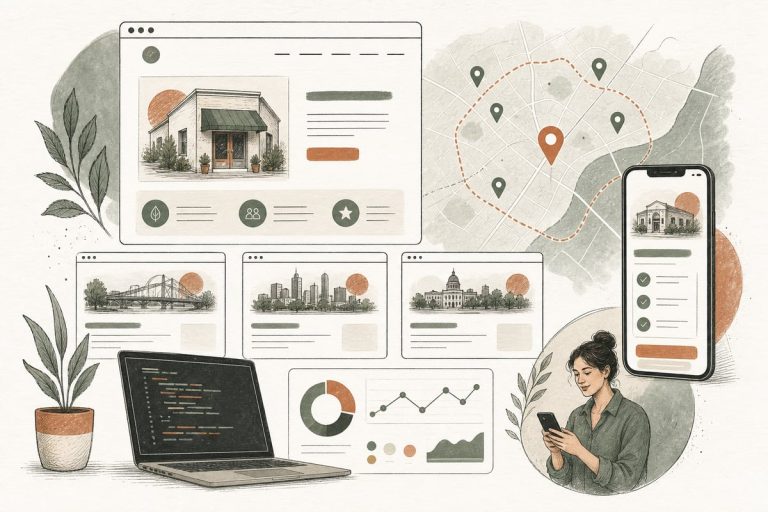
- a map or simple service-region visual if useful
2. Service pages
Each core service page should mention the relevant service area in a natural way.
Examples:
- “AC repair for homes and small businesses across the San Fernando Valley”
- “Estate planning services for families in Los Angeles County”
- “Pediatric therapy for families in Torrance, Redondo Beach, and nearby South Bay communities”
This helps visitors know they’re in the right place without having to hunt for details.
3. Contact page
Your contact page should remove doubt, not create it.
Include:
- physical office address if you have one
- service area list
- office hours
- whether you travel to customers, meet virtually, or serve in-office only
- any limits, such as “We do not currently serve Orange County”
That last point can save your staff time.
4. Footer
Your footer is not the main place for service-area messaging, but it’s still useful for reinforcement.
Keep it concise:
- city
n- county
- state
- primary areas served
5. Local landing pages
If you serve multiple cities, local pages can work very well — if they are genuinely useful.
These pages are a good fit when:
- you actively market to that city
- you already get leads from that area
- the city has enough demand to justify its own page
- you can write unique, helpful content for that audience
When city pages help — and when they become spam
Many businesses hear “local SEO” and immediately create 30 near-identical pages that swap out city names. That usually leads to weak pages, poor user experience, and a site that feels untrustworthy.
A city page is worth publishing when it can answer real local buyer questions.
A useful city page might include:
- the service offered in that city
- common local customer needs or concerns
- neighborhoods served
- whether you travel there or have a nearby office
- testimonials from that area, if real and permitted
- a map, driving-time note, or service-radius explanation
- FAQs specific to that location
- a clear next step
A spammy city page usually looks like:
- same copy repeated across dozens of pages
- awkward city-name stuffing
- no unique information
- no proof you actually serve the area
- thin content written only for search engines
If you can’t make a city page useful, don’t create it yet.
A practical service-area structure that works for many small businesses
For many businesses, this setup is enough:
- Homepage with clear regional positioning
- Core service pages that mention service area naturally
- One main Areas We Serve page listing cities, neighborhoods, or counties
- A handful of high-priority city pages for your best markets
- Contact page with clear service rules and coverage details
This is usually better than building dozens of low-value pages all at once.
What to put on an “Areas We Serve” page
This page can be simple, but it should still help buyers.
Include:
- your main office or home base
- cities, neighborhoods, counties, or regions served
- whether services are in-person, on-site, remote, or hybrid
- any travel fees or distance limits if relevant
- links to related service pages
- links to your most important city pages
- a contact CTA
Example structure:
- Intro: who you help and where
- Short explanation of how service works by area
- List of cities/regions served
- Links to service pages
- FAQs
- Contact section
How this affects lead quality and ROI
Service-area clarity is not just an SEO tactic. It directly affects conversions.
Here’s why:
- nearby prospects are more likely to contact you when they feel certain you serve them
- out-of-area visitors are more likely to disqualify themselves
- your staff spends less time sorting bad-fit inquiries
- paid traffic performs better when landing pages match local intent
- referral traffic converts better when location is obvious
In plain English: the right people contact you faster, and the wrong people waste less of your time.
That’s a real ROI improvement even before rankings change.
A quick checklist to improve your service-area messaging this week
Use this as a fast website tune-up.
Service-area clarity checklist
- Does your homepage clearly state where you work?
- Do your top service pages mention the areas served?
- Can a visitor tell in 5 seconds whether you serve their city?
- Do you have one dedicated Areas We Serve page?
- Is your contact page clear about office, travel, virtual, or in-person availability?
- Are your city pages unique and useful rather than duplicated?
- Do your calls to action reinforce location when appropriate?
- Are you avoiding giant lists of cities with no context?
- Does your Google Business Profile align with the areas on your site?
- Are you tracking which locations actually produce leads?
If you answer “no” to several of these, there’s a good chance your website is losing local opportunities you’ve already paid to attract.
Honest trade-offs to keep in mind
A few realities are worth saying out loud.
- More pages are not always better.
- Local SEO gains are not instant.
- Poorly written city pages can hurt trust.
- If you serve a very broad region, listing every location everywhere can make messaging messy.
- If your business model changes often, service-area pages need maintenance.
The best approach is usually focused and deliberate: say clearly where you work, build stronger pages for your best markets, and keep the content useful.
The bottom line
If location matters to your buyer, your website should make service area obvious on the pages that drive action. Done well, this reduces friction, improves lead quality, and helps more local prospects choose you with confidence.
You don’t need dozens of thin city pages. You need a clearer signal that tells the right customers: Yes, we serve your area, and here’s how to get started.
Frequently asked questions
Do I need a separate page for every city I serve?
No. Most small businesses are better off with a strong Areas We Serve page plus a few high-priority city pages for important markets.
Will adding city names everywhere improve SEO?
Not by itself. Natural, helpful location signals can support SEO, but keyword stuffing usually creates a worse experience and weaker pages.
What if I work remotely or serve clients statewide?
Say that clearly. You may still want pages for key markets, but your messaging should explain whether services are virtual, hybrid, or location-specific.
Should service-area info go on the homepage or just the contact page?
It should definitely be on the homepage, and usually on core service pages too. Don’t make visitors wait until the contact page to find out if you serve them.
How do I know which city pages to create first?
Start with the areas where you already get leads, referrals, or search demand, and where you can write genuinely useful, unique content.
If you want help tightening up your service pages, local SEO structure, or conversion path, you can book a free consultation at https://webmasterandmore.com/consultation.