What to Put on Your Thank-You Page So More Website Leads Actually Turn Into Customers
A thank-you page should do one job: reassure the person they reached you and guide them to the best next step. If your page only says “Thanks, we’ll be in touch,” you’re leaving too much uncertainty—and losing some of the leads you already paid to earn.
Why your thank-you page matters more than most businesses think
For many small businesses, the thank-you page is treated like a dead end. Someone submits a form, sees a generic confirmation, and the interaction basically stops.
That is a missed opportunity.
Right after a person contacts you, they are often at their highest level of intent. They may still be comparing providers. They may wonder how long it will take to hear back. They may not trust that the form actually worked. They may even decide to call a competitor if the next step feels vague.
A strong thank-you page can help you:
- confirm the submission worked
- reduce anxiety and uncertainty
- set expectations about response time
- move urgent leads to a faster contact method
- answer the last questions that often block a sale
- steer people toward booking, calling, or sending photos/documents
- improve lead tracking for Google Ads and analytics
In short, it can help more inquiries turn into actual conversations.
The biggest mistake: ending the customer journey too early
Many thank-you pages say some version of:
> Thank you. Your message has been sent.
That is technically fine, but strategically weak.
It does not answer the questions real buyers have:
- Did my request actually go through?
- When will someone respond?
- What should I do if this is urgent?
- Can I speed this up?
- What happens next?
- What information should I have ready?
- Is this business the right fit for my situation?
If you do not answer those questions, the customer has to figure them out alone.
What every high-performing thank-you page should include
You do not need a complicated design. You need clarity.
Here are the core elements worth adding.
1. A clear confirmation message
Start with a direct headline that removes doubt.
Examples:
- Thank you — your request was received
- Thanks, your consultation request is in
- We got your message and will review it shortly
This sounds basic, but it matters. The person should instantly know the form worked.
2. Specific response expectations
Do not make people guess.
Instead of:
- We’ll contact you soon
Use something more concrete:
- We typically respond during business hours
- If you contacted us after hours, we’ll follow up the next business day
- For urgent matters, call our office now at [number]
If your follow-up time varies, be honest. Overpromising speed creates more frustration than setting a realistic expectation.
3. A strong “need help faster?” option
Some leads should not wait in a queue.
If immediate contact matters in your business, include:
- a tap-to-call phone number
- a text option
- a booking link
- an urgent-service instruction
Examples:
- Need to talk today? Call now.
- Prefer to choose a time? Book a consultation.
- Want to speed up your quote? Text us photos here.
This is especially useful for contractors, law firms, clinics, repair companies, and any service where urgency affects conversion.
4. A short “what happens next” section
This is one of the best trust-builders you can add.
Keep it simple, such as:
- We review your request
- We contact you to confirm details
- We recommend the next step or provide a quote
That small amount of structure helps the process feel real and organized.
5. One optional secondary action
After a form submission, you may want to offer one additional action—not five.
Good options include:
- book a call
- upload photos or documents
- read a relevant service page
- review pricing information
- check your FAQ
The key is relevance. Someone who requested a consultation probably does not need to be pushed into a newsletter signup or bounced back to the homepage.
What to put on your thank-you page by business type
Different businesses need different next steps.
For law firms
Useful elements may include:
- a notice that submitting a form does not create an attorney-client relationship
- office hours and expected callback window
- a phone number for urgent matters
- a reminder to gather relevant documents
- a link to practice-area FAQs
For clinics and medical practices
Useful elements may include:
- when scheduling staff will follow up
- insurance or paperwork reminders
- directions for urgent medical situations
- links to patient forms
- a call button for time-sensitive appointments
For contractors and home service businesses
Useful elements may include:
- a way to text or upload project photos
- service area confirmation
- estimate timeline expectations
- booking for site visits
- a list of what information helps you quote faster
For nonprofits
Useful elements may include:
- next steps for volunteer or donation inquiries
- who will respond
- links to programs or impact pages
- event registration options
- urgent contact info for service requests
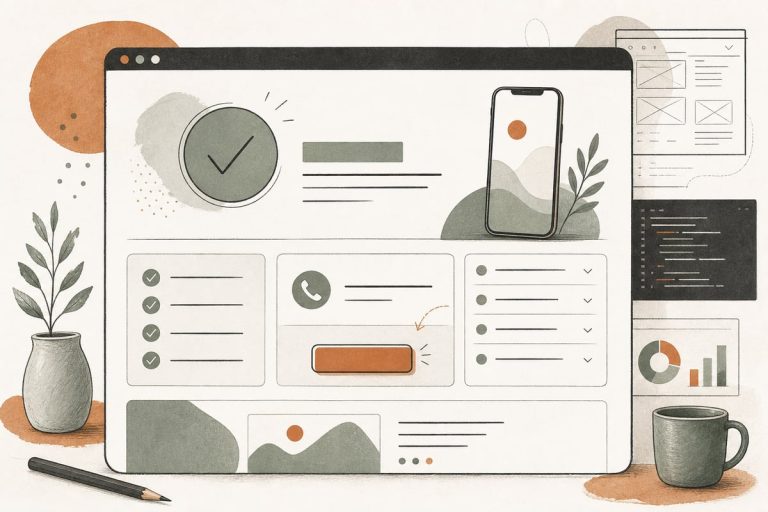
A simple thank-you page structure you can copy
Here is a practical layout that works for many small businesses:
Headline
Thank you — we received your request.
Short reassurance text
A member of our team will review your message and follow up during business hours.
Next-step box
Need help sooner?
- Call: (xxx) xxx-xxxx
- Or book a time here: [button]
Process section
What happens next
- We review your request
- We contact you to confirm details
- We recommend the best next step
Helpful prep section
To speed things up, have this ready
- your timeline
- your location
- project details or questions
- photos or documents if relevant
One supporting link block
You may also find these helpful:
- pricing
- FAQs
- service page
That is enough for most businesses.
Should your thank-you page include tracking and conversions?
Yes—if you are running SEO, Google Ads, Local Services Ads support pages, or any campaign where lead quality matters.
A dedicated thank-you page makes it easier to:
- track form completions in analytics
- measure campaign performance
- build conversion events in Google Ads
- compare lead sources
- understand which pages actually generate inquiries
This is one reason we often prefer redirecting successful forms to a unique thank-you URL instead of only showing an inline success message.
That said, there are trade-offs.
Thank-you page vs. inline success message
Thank-you page advantages:
- better conversion tracking
- more room for next-step guidance
- easier to build retargeting audiences or funnels
Inline message advantages:
- faster, simpler experience
- no page load interruption
- useful for short forms or quick interactions
For many small businesses, the best answer is to use a proper thank-you page for key lead forms and a simple inline message for lower-stakes interactions.
What not to do on a thank-you page
A few things can hurt performance.
Do not overwhelm people with too many choices
If you add ten links, three offers, a pop-up, and a video, the page stops guiding and starts distracting.
Do not promise unrealistic response times
If you say “we’ll contact you in 5 minutes” and you do not, trust drops immediately.
Do not make urgent leads search for your phone number again
If speed matters, put the phone number right there.
Do not send people back to a generic homepage
A homepage is rarely the best next step after someone has already raised their hand.
Do not ignore mobile users
Make buttons thumb-friendly, keep copy short, and make phone numbers clickable.
A quick thank-you page improvement checklist
Review your current setup and ask:
- Does the page clearly confirm the form worked?
- Does it explain when the person will hear back?
- Does it offer a faster path for urgent leads?
- Does it explain what happens next?
- Does it include one relevant secondary action?
- Is the phone number clickable on mobile?
- Is the page tied to conversion tracking?
- Is the page specific to the form or service submitted?
If you answered “no” to several of these, you likely have an easy conversion improvement available without redesigning your whole website.
When it makes sense to create different thank-you pages
A single generic thank-you page is better than nothing, but segmented pages are often stronger.
For example, you may want different thank-you pages for:
- consultation requests
- quote requests
- booking requests
- emergency service forms
- different practice areas or service categories
Why? Because the next step is not always the same.
Someone requesting a kitchen remodel estimate may need a photo-upload prompt. Someone contacting a law office about a DUI matter may need urgent call instructions. Someone asking about website help may benefit from a consultation booking link and a short checklist of what to prepare.
The more closely the thank-you page matches intent, the more useful it becomes.
The bottom line
If your website is already generating inquiries, your thank-you page is one of the easiest places to improve lead handling without a full rebuild. A better confirmation, clearer next steps, and a faster path for urgent prospects can help more of those hard-won leads turn into real opportunities.
It is a small page, but it can do an important job.
Frequently asked questions
Do I really need a separate thank-you page for my contact form?
Not always, but for important lead forms, a separate page is usually better for tracking, guidance, and helping users take the next step.
What is the best call to action on a thank-you page?
Usually one next step: call, book, or send supporting information. The best choice depends on how your sales process works.
Should I include pricing links on the thank-you page?
If pricing helps qualify leads or reduce back-and-forth, yes. Just make sure it supports the person’s intent instead of distracting them.
Can a thank-you page help with Google Ads tracking?
Yes. A dedicated thank-you URL is often the easiest way to track completed form submissions as conversions.
What if my business cannot respond quickly?
Set honest expectations and offer the clearest possible next step. Clarity beats pretending you are faster than you are.
Want help improving the parts of your website that actually affect leads and follow-up? You can book a free consultation at https://webmasterandmore.com/consultation.